Install fonts on Mac: Font Book steps, where fonts are stored, how to remove them, and why a new font doesn't show up, from Sonoma to macOS 27

Also in日本語한국어繁體中文简体中文EspañolDeutschPortuguês (Brasil)Français
Quick answer
To install fonts on a Mac, double-click a .ttf or .otf file and click Install, or add it in Font Book with File › Add Fonts to Current User. It lands in ~/Library/Fonts for your account, or /Library/Fonts for everyone. This guide sets Apple's Font Book pages for macOS 27, Tahoe, Sequoia and Sonoma side by side and covers file types, Apple's downloadable fonts, removing fonts, Google Fonts and Adobe Fonts, Pages and Word, and fonts that don't show up.
Download for MacDownload on the App StoreTo install a font on a Mac, double-click the font file (.ttf, .otf or .ttc) in the Finder and click Install, or open Font Book from the Applications folder and choose File › Add Fonts to Current User, or drag the file onto Font Book's window or its Dock icon. Font Book checks the font for errors and duplicates, then keeps it in ~/Library/Fonts, where only your account can use it, or in /Library/Fonts for every account if Default install location is set to All Users under Font Book › Settings › Installation. To uninstall a font, select it in Font Book, press Delete and click Remove Fonts; Edit › Deactivate switches it off without deleting it.
What follows rests on pages opened on 26 November 2026. Apple's Font Book User Guide carries the number 11.0 in all four macOS editions we compared, and we read eight of its pages in each: Install and validate fonts for macOS 27 Golden Gate, Tahoe, Sequoia and Sonoma, plus Change Font Book settings, Remove, deactivate, or activate fonts, Create and manage font collections and libraries, View and print fonts, Export fonts, Restore fonts that came with your Mac and Troubleshoot Font Book problems, each in the same four editions. From the Mac User Guide we compared the four editions of Format text in documents with fonts and Create or change font collections. Apple's support articles: Fonts included with macOS Tahoe, published September 15, 2025; Fonts included with macOS Sequoia, September 16, 2024; Fonts included with macOS Sonoma, April 24, 2024; and Contact a third-party vendor, November 17, 2025. The Pages part comes from the Pages User Guide's Change the font or font size. Anything Apple doesn't say is credited to Setapp, Adobe, Microsoft, Google Fonts or the font license in question, the Shimejiko section is read from the app's source code, and nothing here was tried on a Mac.
How do you install a font on a Mac?
Apple's guide opens with a rule: to use fonts in your apps, install them with Font Book. Get the font file first. Downloads often arrive as a .zip; double-click it in the Finder to unpack it, as Microsoft's Office instructions also advise. Then pick any of Apple's four routes, identical in all four editions:
| Route | What you do | What follows |
|---|---|---|
| Double-click | Double-click the font file in the Finder, then click Install in the dialog | Font Book validates the font and checks for duplicates |
| Font Book's File menu | Choose File › Add Fonts to Current User, then double-click the font file | The same checks |
| Font Book's Dock icon | Drag the file onto the icon, then click Install | The same checks |
| Font Book's window | Drag the file into the open window | The same checks |
| Copy it yourself | Drag the file into ~/Library/Fonts in the Finder | Not an Apple route; Setapp describes it, and Font Book's install-time check doesn't run |
Font Book sits in the Applications folder, says Apple's Tahoe font list. The quickest way in is Command-Space bar, then type Font Book and press Return. Tahoe and macOS 27 have no Launchpad any more, as our Mac Launchpad guide explains, although Tahoe's own Font Book troubleshooting page still says to open it from Launchpad's Other folder. From inside an app, the Fonts window gets you there too: click its Action pop-up menu and choose Manage Fonts.
What the install checks mean
- Validation. Font Book checks each new font for errors. In the Font Validation window a green icon means it passed, yellow is a warning and red means it failed; select the checkbox beside a failed font and click Remove Checked to delete it.
- Duplicates. If the font is already installed, Font Book says so and lets you keep both versions, skip the installation, or replace the old one with the new.
- Who gets it. A new font is available to you alone or to everyone on the Mac, depending on the default location set in Font Book's settings, covered below.
Which font files can a Mac install?
Apple prints one list, the same in all four editions of its install page. Everything else in this table comes from the source named in the last column.
| File | Extension | On a Mac | Source |
|---|---|---|---|
| TrueType | .ttf | Supported | Apple |
| Variable TrueType | .ttf | Supported | Apple |
| TrueType Collection | .ttc | Supported | Apple |
| OpenType and OpenType-SVG | .otf | Supported | Apple |
| OpenType Collection | .ttc | Supported | Apple |
| Legacy suitcase TrueType, PostScript Type 1 LWFN | Not given by Apple | "Might work but aren't recommended" | Apple |
| Web Open Font Format | .woff, .woff2 | Not on Apple's list | Setapp found the same and converted one online |
| Windows raster or vector font | .fon | Not on Apple's list | Microsoft calls .fon the file for raster and vector fonts |
| Windows PostScript | .pfb, .pfm | Not on Apple's list | Microsoft advises avoiding them when embedding fonts |
A few notes on the less obvious rows:
- Variable fonts pack a whole range of weights, and sometimes widths, into one .ttf. Apple lists them by name, so install the single file as you would any other.
- Collections (.ttc) hold several fonts in one file, so a single install can add a whole family.
- .fon files from Windows store each letter as a bitmap drawn for one screen resolution, or as plain line segments, according to Microsoft's description of raster and vector fonts. Apple names no support for them, so look for a .ttf or .otf version of the same typeface instead.
- WOFF is a format for web pages. Before converting one for desktop use, read its license: licenses can treat web and desktop use separately, and Adobe's FAQ, for one, says its Font Folio fonts "are not licensed for web use".
- Both OTF and TTF in the zip? Pick one. Installing two builds of the same family is the situation Font Book's duplicate check exists for.
Where are fonts stored on a Mac?
| Folder | Who can use what's in it | How fonts get there |
|---|---|---|
| ~/Library/Fonts | Only you | Font Book with Default install location set to Current User |
| /Library/Fonts | Every account on the Mac | Font Book with All Users, after an administrator's password; macOS installs fonts here too |
| /System/Library/Fonts | The whole system | macOS itself; Apple says these are required and can't be disabled in Font Book |
| A font library's folder | Only you | Fonts added to a library stay where they're saved |
| ~/Library/Fonts (Removed), /Library/Fonts (Removed) | Nobody, until you reinstall them | Where Reset Fonts moves the fonts you installed |
Apple's settings page adds one more fact Setapp's guide skips: system fonts you download from Apple aren't installed in either of the first two folders. It doesn't say where they go.
Your own Library folder is hidden. Apple's way in, printed on the same settings page: click the Finder in the Dock, then hold Option while you choose Go › Library. Our guide to showing hidden files covers that folder and the rest. To find one font's file without digging, select the font in Font Book and click the Info button in the toolbar: the details include its language support, its maker and the location of the file on your Mac.
Should you install a font for one user or for everyone?
If more than one person signs in to the Mac, or a font needs to work in every account, change where Font Book puts new fonts:
- Open Font Book and choose Font Book › Settings.
- Click Installation.
- Next to Default install location, choose Current User, All Users, or a library you've made.
All Users needs an administrator's password at install time. Setapp says Current User is the default; Apple's page lists the choices without naming a default, so check the setting before you assume. The choice applies to fonts you install from then on.
How do you download Apple's extra fonts in Font Book?
Apple's font lists say most of macOS's fonts are installed and turned on automatically, while others can be downloaded in Font Book, where they appear dimmed until you do. To get one:
- In Font Book, click a category in the sidebar. If there's no sidebar, choose View › Show Sidebar.
- Click the Download button next to the font. Or Control-click it and choose Download, Control-click a selection of several and choose Download, or select fonts and choose Edit › Download.
How many fonts are we talking about? Counting the lines of Apple's lists, which name each style separately:
| Apple's list | Published | Installed or downloadable | Document-support |
|---|---|---|---|
| Fonts included with macOS Tahoe | September 15, 2025 | 1,386 | 307 |
| Fonts included with macOS Sequoia | September 16, 2024 | 1,387 | 303 |
| Fonts included with macOS Sonoma | April 24, 2024 | 1,335 | 295 |
Sequoia's list added families such as Dash, Nom Na Tong, PingFang MO and November Bangla Traditional. Tahoe's swaps Kefa for Kefa III, in four weights, and no longer names Hiragino Sans CNS. For macOS 27, Apple's Font Book pages link to the Tahoe list, and we found no newer one linked from them.
The second column matters if a document shows the wrong font. Document-support fonts, Apple explains, "are available only to documents that already use the font, or to apps that request the font by name", so you won't find them in a font menu even though a file using one opens fine.
How do you uninstall, deactivate or reset fonts?
Removing a font takes it out of Font Book and the Fonts window; deactivating keeps the file on the Mac but dims the font in the Fonts window. Apple's steps:
Remove (uninstall)
- In Font Book, select one or more fonts and press Delete.
- Click Remove Fonts, or Remove Non-System Fonts, to confirm. They go to the Trash.
Deactivate (turn off)
- Select one or more fonts, or a whole collection.
- Choose Edit › Deactivate, then click Deactivate Font or Deactivate Fonts. They stay on the Mac, dimmed.
Activate again
- Select the dimmed fonts or collection.
- Choose Edit › Activate.
You can't remove or deactivate system fonts; Apple says those menu items are dimmed for them. Where a step says Control-click, any secondary click does the job, such as a two-finger click on a trackpad; our right-click guide lists them all.
Start over with Reset Fonts. If Font Book misbehaves or shows no fonts at all, Apple's fix is to restore the fonts the Mac came with:
- Choose Font Book › Settings and click Advanced.
- Click Reset Fonts, then Proceed, and enter your password or use Touch ID if asked.
- Fonts you'd installed move to /Library/Fonts (Removed) or ~/Library/Fonts (Removed). Reinstall the ones you want; Show Moved Fonts, in the same pane, lists them.
How do you organize fonts into collections and libraries?
Font Book offers three kinds of group. Apple says the collections you create appear in your apps' Fonts window and libraries don't:
| Group | How to make one | Shows in apps' Fonts window |
|---|---|---|
| Collection | File › New Collection, then drag fonts in; or select fonts and choose File › New Collection From Selection | Yes, in apps such as TextEdit |
| Smart Collection | File › New Smart Collection, then criteria such as "Design style is Bold" or "Family name is Helvetica", matching All or Any | Apple doesn't say |
| Library | File › New Library, then File › Add Fonts to [library name] or drag files in, then Install Checked if the validation window appears | No |
Double-click a new collection or library in the sidebar to name it, then press Return. Adding a font to a collection doesn't move it; you can't add fonts to a Smart Collection or remove them from one by hand, and a gear icon marks it in the sidebar. A library is for fonts tied to one job: they stay in the folder where you keep them.
How do you use a new font in Pages, Word, Canva and other apps?
Apple's apps and others with a Fonts window. Press Command-T, or choose Format › Show Fonts or Format › Font › Show Fonts. Pick a collection, family and style; the Action pop-up menu holds Typography for a font's extra features and Characters for symbols, the same viewer our emoji keyboard guide covers. Font Book's settings page adds that Mail and TextEdit let you choose a default font. Stickies takes fonts the same way, as our sticky notes guide shows. More text keys are in Mac keyboard shortcuts.
Pages. Select text, click Style at the top of the Format sidebar (Text first, then Style, inside a text box, table or shape), and choose from the Font pop-up menu. When a document uses a font your Mac lacks, a missing font notice appears briefly at the top of the page; click it, or choose Format › Font › Replace Fonts, to substitute. The catch Apple spells out: if you choose a replacement and later install the missing font, the document keeps the replacement until you replace it back with the font you installed.
Word, PowerPoint and Excel. Microsoft's macOS steps, from Download and install custom fonts to use with Office: double-click the .ttf or .otf file, select Install, and it opens in Font Book; close Font Book and the font is available to Office. Microsoft stresses that fonts work through the operating system, not inside Office. If Word was already open, quit and reopen it: Adobe notes that Microsoft Office doesn't refresh its font menu while running. On top of that, Microsoft 365 subscribers get cloud fonts, which download on demand; on a Mac, Word and PowerPoint need build 16.17 or later and Excel 16.39 or later, per Cloud fonts in Office, updated March 12, 2025.
Sharing a Word file is where installed fonts fall short. Microsoft says text in a font the other computer lacks shows up "in Times New Roman or the default font". Its fix is embedding fonts, which Word and PowerPoint for Microsoft 365 for Mac support, along with PowerPoint 2024 and 2021 for Mac. A font's maker can forbid embedding; Microsoft points Mac users to the Info button in Font Book to check, adding that not every font lists it.
Adobe apps. Fonts added from Adobe Fonts appear in the font menus of all your desktop apps, iWork and Microsoft Office included, says Adobe; Acrobat and Office need a restart first.
Canva. Canva's help page on uploading fonts wouldn't load for us, so we can't confirm which plans or file types it accepts. Check it in a browser before you buy a font for Canva.
Where can you get fonts safely, and what may you do with them?
Start with the license. Font Book shows it: click a font's Info button in the toolbar, then click Usage, a step Apple prints on its export page. Where the files come from shapes the rest:
| Source | How it reaches your Mac | License, in the source's words | Price, checked 2026-11-26 |
|---|---|---|---|
| Apple's downloadable fonts | The Download button in Font Book | Part of macOS | Free |
| Google Fonts | Download the family, then install its .ttf files | Most use the SIL Open Font License 1.1; some Apache 2; Ubuntu fonts the Ubuntu Font License | Free |
| Adobe Fonts | The Creative Cloud desktop app adds them | "Licensed for personal and commercial use", not transferable to another user or computer | Included with all paid Creative Cloud plans |
| DaFont and similar free sites | A .zip to unpack and install | Setapp says these fonts are often free for personal use; each font sets its own terms | Varies |
| Foundries and font shops | A download after purchase | The foundry's end-user license | Varies |
Google's own file repository says it plainly: "It is important to always read the license for every font that you use", and each family's folder carries its license file. The SIL Open Font License lets you use, modify and redistribute a font "as long as they are not sold by themselves", lets software bundle it, and states that its terms don't extend to documents you make with the font.
Adobe adds conditions of its own. The Creative Cloud desktop app has to be running and signed in for its fonts to stay available, and fonts left unused for several months must be reinstalled before non-Adobe apps see them again. Adobe's licensing FAQ, updated March 27, 2026, also rules out packaging the fonts with a file for someone else.
On safety, Microsoft's advice holds on a Mac too: "Before you download a font, make sure that you trust the source." Apple describes validation as a check for errors in the font and says nothing about malware, so treat it as a quality check, not a security scan.
What changed between macOS 27, Tahoe, Sequoia and Sonoma?
Almost nothing in Font Book itself. The guide is version 11.0 in all four editions, and the install, validation, duplicate, removal, collection and export steps match word for word. What moved was around the edges:
| macOS 27 | 26 Tahoe | 15 Sequoia | 14 Sonoma | |
|---|---|---|---|---|
| Font Book guide version | 11.0 | 11.0 | 11.0 | 11.0 |
| Install routes and file types | Four routes, same list | Same | Same | Same |
| Launchpad tip in Troubleshooting | Gone | "To open Font Book from Launchpad, click Other, then click Font Book." | Same tip | Same tip |
| Font list the guide links to | Fonts included with macOS Tahoe | Sequoia's | Sequoia's | Sonoma's |
| "Can't remove a font" wording | Installed "by macOS" | Same | "by macOS Sequoia", with a link to its list | "by macOS Sonoma", with a link |
| Fonts window keys, Mac User Guide | Command-T or the Format menu | Same | Same | Format menu only |
| Touch Bar line on the formatting page | Not shown | Not shown in the Tahoe editions we rechecked | Touch Bar can quickly format selected text | Same as Sequoia |
| Collections in the Fonts window | Collections pop-up menu › Manage Fonts, which opens Font Book | Same in the Tahoe editions we rechecked | Build them in the window: add, drag, delete, Add to Favorites | Same as Sequoia, with buttons named |
| Note on app help, Font Book settings page | Not there | Not there | Not there | "search the built-in help for the app" |
Sources: the Font Book pages in the four editions linked at the top, and the four editions each of Format text in documents with fonts (Sonoma's linked here) and Create or change font collections (Tahoe's linked here).
Two things stand out. Tahoe's Font Book guide still tells you to open the app from Launchpad, which Tahoe removed, and still links to Sequoia's font list; macOS 27 fixed both. The newer Mac User Guide directs you to Font Book to create collections, so a Sequoia guide's steps may no longer match. We found that direction in both the French and Japanese Tahoe guides as well as in macOS 27's guide.
What do popular font guides get wrong?
We checked the guides people find for this search against Apple's pages:
- Setapp's guide, Google's first result, last updated August 19, 2026, says the supported formats Apple lists are TTF, TTC and OTF. Apple's note also names variable TrueType and OpenType-SVG, and says suitcase TrueType and Type 1 LWFN fonts might work.
- The same guide's manual route, dropping files into ~/Library/Fonts, skips the validation and duplicate checks Apple attaches to installing with Font Book. If you copy fonts in that way, run File › Validate Selection on them afterwards.
- Its Word answer says to restart your Mac after installing a font. Microsoft's macOS steps end at closing Font Book, with no restart; at most, quit and reopen Word.
- Its button name, Install Font, doesn't match Apple's current guide, which says to click Install in the dialog.
- Adobe's conflict page, dated July 11, 2023, tells Mac users to choose Edit › Disable [font] family in Font Book. All four editions of Apple's guide call the command Edit › Deactivate.
- Microsoft's Office page says to add a font with Font Book "and then copy it to the Windows Office Compatible folder", yet its own step-by-step macOS instructions on the same page end once Font Book closes. No Apple page mentions that folder; follow the step-by-step version.
- What most leave out: validation, duplicates, the fact that system fonts can't be removed, Reset Fonts, and the per-version changes above.
Why isn't a new font showing up, and how do you fix it?
Work down the list:
- The app was open while you installed. Quit and reopen it. Adobe names Acrobat and Microsoft Office as apps that don't update their font menus on their own.
- It's listed under another name. Apps name fonts differently: Adobe's example, from a page dated July 11, 2023, is FF Market, which appears as "Market OT" in InDesign and "MarketOT" in Word. Microsoft apps also fold bold and italic styles under one family name, reached with the Bold and Italic buttons.
- It's deactivated. A dimmed font in Font Book is switched off. Select it and choose Edit › Activate.
- Two copies are fighting. Choose File › Resolve Duplicates, then Resolve Automatically, or Resolve Manually to pick the copy to keep. Font Book labels the copy it recommends "Active".
- The file is damaged. Select the font and choose File › Validate Selection, or File › Validate File for one not yet installed. A red icon means it failed; remove it and download it again.
- It went to another account. With Current User as the install location, other people on the Mac don't get the font. Reinstall it with All Users.
- Pages still shows the substitute. A document keeps a replacement font even after you install the original; choose Format › Font › Replace Fonts and swap it back.
- It's an Adobe font. Open Creative Cloud and sign in. Adobe's next step, from its troubleshooting guide dated November 20, 2024: choose Creative Cloud › Preferences › Services in the menu bar and turn Adobe Fonts off and on. A font unused for months needs its Install button clicked again.
- The format isn't supported. A .woff, .woff2 or .fon file isn't on Apple's list; find a .ttf or .otf.
- Font Book shows no fonts at all. Apple's answer is Reset Fonts, described above.
- You can't remove a font. It's a system font, and macOS keeps those.
- Font Book won't open. Apple says to make sure it's in the Applications folder and open it from there.
- The font works everywhere but one app. Apple sends third-party app problems to the app's maker, per its Contact a third-party vendor article.
Does Shimejiko make you install any fonts?
We make Shimejiko, a desktop pet app whose characters stroll the Dock, scale windows and speak in hand-lettered bubbles. The bubbles use a typeface few Macs have, so the fair question here is whether the app quietly installs fonts. We answered it by reading the app's source code as of 26 November 2026; we didn't run it on a Mac for this guide.
- Two fonts travel inside the app. Gaegu Bold, the handwriting in every bubble, in the "drop it here" lettering and on the name tags, and Sniglet ExtraBold, for titles and the Shimejiko wordmark, ship as .ttf files in the app's own resources.
- It registers them for itself, at launch. The first thing the app does after launching is hand every .ttf in its bundle to Core Text with the process scope, which Apple's developer documentation defines as available "to the current process for the duration of the process". So nothing lands in ~/Library/Fonts or /Library/Fonts, Font Book never lists Gaegu or Sniglet, no password is asked, and Pages or Word can't use them. Quit Shimejiko and they're gone from the system's view; deleting the app leaves no fonts behind.
- Her bubbles don't follow fonts you install. The code picks the bubble font by the app's language and has no font setting: Gaegu Bold in English and Korean, Noteworthy Bold, one of Apple's own fonts, in Spanish, German, French, Brazilian Portuguese and Turkish, and the rounded system font in Japanese and both Chinese scripts. A font you install changes none of that. Switching Settings › General › Language does, after the app relaunches itself.
- Why accented languages get Noteworthy. The build plan notes that Gaegu covers only plain ASCII among Latin letters, so the ñ in "español" or Turkish ğ would have to come from some other font. Noteworthy has them.
- It steers clear of a font download. A comment in the code warns that asking macOS by name for a font the Mac doesn't have yet makes macOS download it, the downloadable-font behavior described above. So the app opens Noteworthy straight from /System/Library/Fonts/Noteworthy.ttc and falls back to the rounded system font if that file is missing; Gaegu falls back the same way if it can't load.
- Packs bring no fonts. The Swift engine that reads Shimeji packs, which are images plus XML, contains no font handling, so importing a pack never asks you to install a font. Packs you import yourself need Pro after a three-day trial.
- Her handwriting can be yours. Gaegu, by JIKJI SOFT, is a Google Fonts family in Light, Regular and Bold under the SIL Open Font License, the license that lets an app bundle it; Shimejiko's acknowledgements credit Gaegu and Sniglet under it. Install Gaegu with the steps at the top and it appears in Pages like any other font. The app is unaffected: it still asks for Gaegu Bold by name, and since your copy answers to the same name, we can't say which of the two macOS hands it.
- The website stays web-only too. shimejiko.app loads Gaegu, Sniglet and Inter as .woff2 files inside the browser, the format Apple's install list leaves out, so reading the site installs nothing on your Mac either.
The drawback of keeping fonts private: you can't swap the bubble font or make it larger, and a handwriting font you love won't reach her bubbles. If a character stands where you're picking fonts, press ⌥⌘H (Option-Command-H) to hide everyone, and press it again to bring them back.
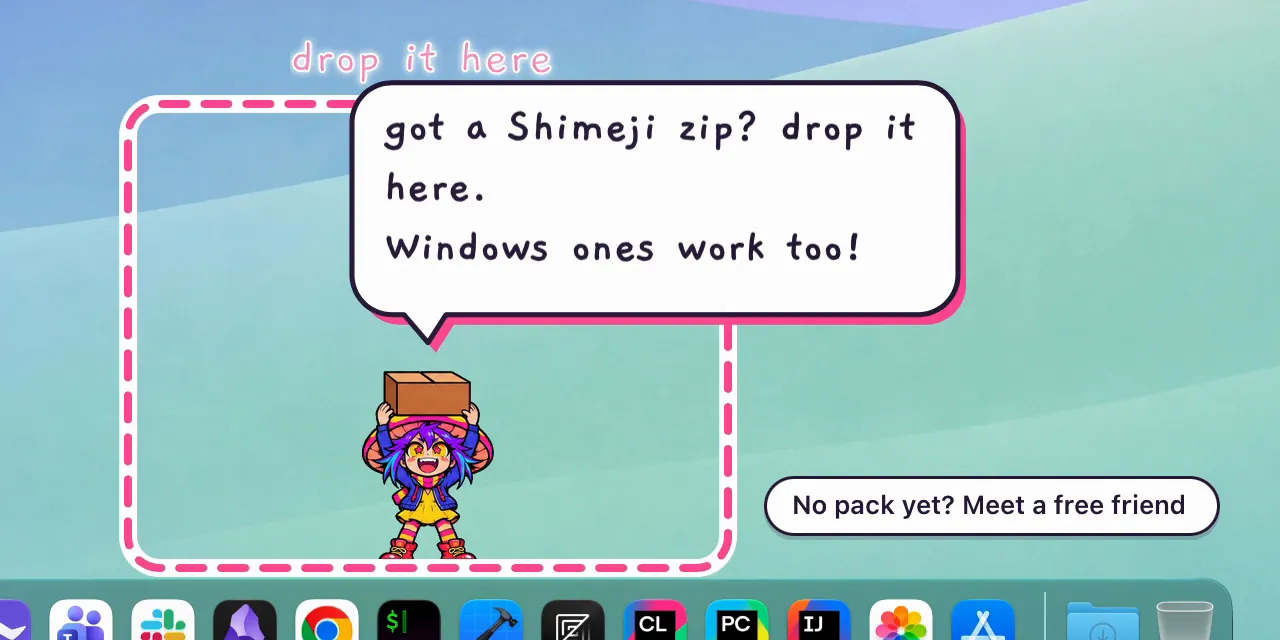
Recorded in the app's welcome show, the clip shows the bundled Gaegu Bold at work in the bubble and in the "drop it here" label, a typeface that, going by the code, never shows up in Font Book on the Mac it ran on.
Shimejiko is a free download for macOS 14 Sonoma or later, on Apple silicon and Intel. The free plan lets one character type out at a time, up to 3 copies of it; Pro is a single $5.99 payment for up to 3 Macs that brings the whole crew out together, each reacting to knocks, the lid and purrs (price checked 2026-11-26 on shimejiko.app). Download Shimejiko, or see what the characters do on a MacBook.
Questions
How do I install a font on a Mac without Font Book?
Copy the .ttf or .otf file into ~/Library/Fonts with the Finder (hold Option and choose Go › Library to reach it), or into /Library/Fonts for every account. Apple documents only Font Book's routes, and this way skips its validation and duplicate checks, so validate the font in Font Book afterwards.
Can I install Windows fonts on a Mac?
Yes, if they're TrueType (.ttf) or OpenType (.otf) files, which both systems use; Microsoft's own Office instructions install the same files on Windows and macOS. A .fon file isn't on Apple's list of supported formats, so look for a TrueType or OpenType version of that typeface.
How do I see which fonts I installed?
Open Font Book and look in the sidebar: Apple says All Fonts and My Fonts appear in its Fonts section by default, and Setapp notes that fonts you add land under My Fonts. Select one and click the Info button to see where its file sits.
Why does Font Book ask for my password?
Most likely your default install location is All Users, which puts fonts in /Library/Fonts and needs an administrator's password. Choose Current User under Font Book › Settings › Installation to install for your account alone; Apple ties no password to that choice. Reset Fonts may ask too, or accept Touch ID.
Do I need to restart my Mac after installing fonts?
No Apple or Microsoft page we read asks for that. Quit and reopen the app you want to use the font in, since some apps, Microsoft Office and Adobe Acrobat among them, read the font list only when they start.


