What is a desktop buddy? The kinds, and which ones work on a Mac

Also in日本語한국어繁體中文简体中文EspañolDeutschPortuguês (Brasil)Français
Quick answer
A desktop buddy, also called a screen buddy, desktop companion or desktop pet, is a small animated character that lives on top of your apps and keeps you company while you work. Some walk and climb your windows, some react to your typing, some play pranks, and some talk. Most kinds now run natively on a Mac; VPet is Windows only. Shimejiko is the native Mac app for walking Shimeji buddies.
Download for MacA desktop buddy is a small animated character that lives on top of your apps and keeps you company while you work. People also say screen buddy, desktop companion or desktop pet. Some walk and climb your windows, some tap along as you type, some play pranks, and some talk. On a Mac, most kinds now have a native option; a few, like VPet, are Windows only. We make Shimejiko, the native Mac app for walking Shimeji buddies.
Facts about other apps come from each project's own page, Steam or Mac App Store listing, checked on 13 November 2026. We haven't tested every app on every Mac.
What is a desktop buddy, exactly?
A desktop buddy is a program that draws a character in a transparent layer above your other windows, so it seems to live on the desktop itself. It knows where the screen edges and your windows are, so it can stand on them, sit on them or fall off them. It does no work. That is the point.
In Japan the idea is called a desktop mascot (デスクトップマスコット), and two Japanese programs shaped it: Shimeji, whose characters walk, climb and get thrown around, and Ukagaka, whose characters stand at the side and talk.
What kinds of desktop buddies are there?
There are eight common kinds, and they differ more in what they do than in how they look.
| Kind | Example | What it does | Native on Mac? |
|---|---|---|---|
| Walking sprite pets | Shimeji-ee, Shimejiko, Pets Therapy | Walk, climb windows, sit, get grabbed and thrown | Shimeji-ee no (Windows, Java); Shimejiko and Pets Therapy yes |
| Typing and reaction pets | Bongo Cat, BongoCat-mac | A cat taps its paws every time you press a key | Yes, both |
| Prank pets | Desktop Goose | A goose tracks mud, drags in notes and grabs your pointer | Yes, an older Mac build (v0.22) |
| Care-sim pets | VPet | One pet to feed, pet and play with, plus Workshop mods | No, Windows only |
| Cursor chasers | oneko, neko | A cat chases your pointer and naps when it catches it | Yes, through Mac ports |
| 3D avatar companions | Desktop Mate | 3D characters sit on your windows and respond to head pats | Yes, Apple silicon only, in open beta |
| Menu bar and Dock pets | RunCat Neo, Dockitty | A cat runs in the menu bar or is your Dock icon | Yes |
| Talking and AI companions | Ukagaka ghosts, Clippy, Project AIRI | Talk in speech balloons; the AI ones chat through a language model | Ukagaka through young Mac projects; Clippy and AIRI yes |
Which kinds work on a Mac, and what's the catch?
Every kind except the care sim has a native Mac option, and each has one real drawback.
Walking sprite pets. Shimeji-ee, the edition most Shimeji packs are made for, needs Java and runs only on Windows. On a Mac, Shimejiko runs the same packs natively (more below), and Pets Therapy on the Mac App Store has more than 75 pixel pets. The catch: past the free start it's $5.99 a year or $12.99 for life, and you choose from its own pets.
Typing and reaction pets. Bongo Cat by Irox Games is free to play on Steam, which lists macOS 11 or later, Intel or Apple silicon. BongoCat-mac by Gamma-Software is a separate free overlay for macOS 13 or later. The catch: the cat reacts but never roams, and BongoCat-mac needs Accessibility permission to notice your keys. Bongo Cat on a Mac.
Prank pets. Desktop Goose by samperson leaves muddy footprints, brings in notes and memes, and steals your pointer. It's name your own price on itch.io. The catch: the Mac build is v0.22 while Windows has v0.31, and mods are Windows only. Shimeji vs Desktop Goose.
Care-sim pets. VPet-Simulator is a free, open-source pet you feed, pet and play with, with Steam Workshop mods. The catch: Steam lists Windows only, so a Mac needs a Windows setup. VPet on a Mac.
Cursor chasers. On a Mac there's neko by crgimenes, a universal app its README says is notarized, and oneko-swift, a menu bar app for macOS 13 or later. The catch: oneko-swift isn't notarized, so the first launch needs care, and neko's settings live in a configuration file. Oneko for Mac.
3D avatar companions. Desktop Mate by infiniteloop puts 3D characters on your windows that chase your pointer and respond to head pats. Steam lists a Mac version for macOS 12 or later, which infiniteloop calls an open beta. The catch: it's Apple silicon only, and while the base app is free, most characters are $14.99 each. Desktop Mate on a Mac.
Menu bar and Dock pets. RunCat Neo is a free menu bar cat that runs faster as your Mac works harder. Dockitty is a free cat that is your Dock icon and can go for a walk, with a $9.99 Premium upgrade. The catch: they're tiny on purpose, and RunCat Neo needs macOS 26 or later.
Talking and AI companions. Ukagaka ghosts chat in speech balloons. Their standard host, SSP, is for Windows, and its site links two Mac projects, Ourin and Utatane. AI companions chat through a language model: Clippy, Felix Rieseberg's homage (not affiliated with Microsoft), runs models locally on Apple silicon and Intel Macs, and Project AIRI offers a macOS download for Apple silicon. The catch: you set up the model yourself, and local models are large downloads.
Where does Shimejiko fit?
Shimejiko is the native Mac app for walking, Shimeji-style buddies, and we make it. It runs Shimeji and Shimeji-ee packs, Windows-only ones included, without Java, on macOS 14 or later with Apple silicon or Intel. Characters walk on your Dock, climb your windows, get grabbed and thrown, and sit on the notch, or on the menu bar if your Mac has no notch.
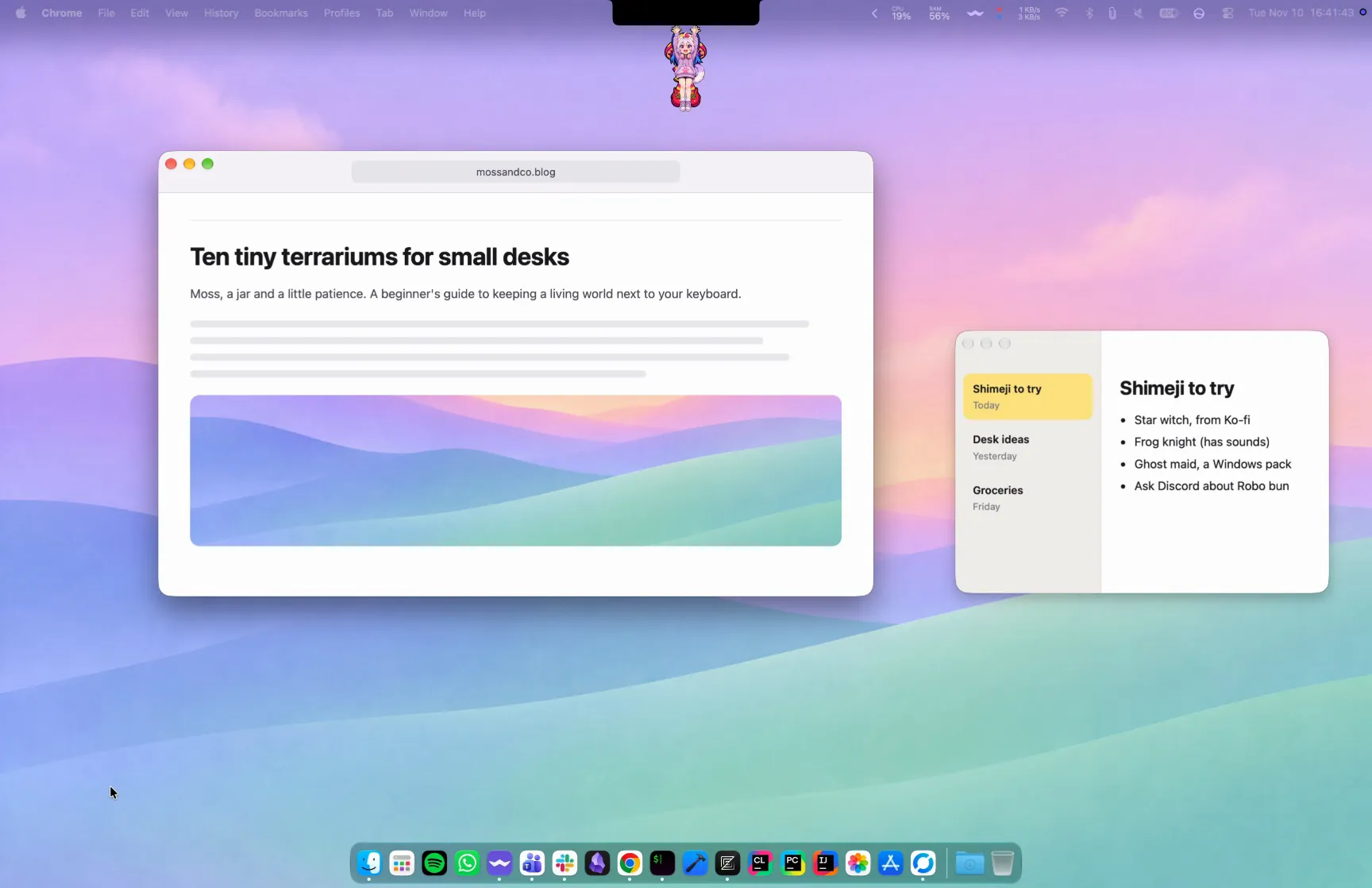
On a MacBook they notice the Mac itself, which we call Mac magic. Knock on the case and they jump. Tilt the lid and they slide. Stroke the trackpad with two fingers and they purr, with a haptic you feel on a Force Touch trackpad. Plug in the charger for dinner; a low battery makes them sleepy. Shimejiko never captures your screen, never reads your keystrokes and never uses the camera or microphone.
The app is free. The free version shows one character type at a time, up to 3 copies, and Mac magic works on Shimejiko herself. Pro is $5.99 once for every type and Mac magic for everyone. Original characters in the Shop cost $1.99 to $3.99. Our catch: free keeps you to one type at a time, and knock and lid tilt need a recent MacBook's sensors, so Intel MacBooks, desktop Macs and the base M1 models miss out. How to get Shimeji on a Mac.
How do you pick a desktop buddy for a Mac?
Pick by what you want the buddy to do, then make sure it runs natively on your Mac.
- Walks and climbs your windows: Shimejiko for Shimeji packs, or Pets Therapy for a ready-made set.
- Reacts to your typing: Bongo Cat.
- Causes trouble: Desktop Goose.
- Stays small: RunCat Neo or Dockitty.
- A 3D character: Desktop Mate, on Apple silicon.
- A pet to look after: VPet, on Windows.
- Someone to talk to: an AI companion such as Clippy.
Then check that it runs without Java, Wine or a Windows virtual machine, that macOS opens it without you turning off a security setting, and that you can hide it fast before a call. In Shimejiko, ⌥⌘H hides everyone. For a ranked list with prices, see the best desktop pets for Mac; for keeping one around at work, a desktop pet while working.
Questions
Is a desktop buddy the same as a desktop pet?
Yes. Desktop buddy, screen buddy, desktop companion, desktop pet and desktop mascot all mean a character that lives on your screen. Some people save "companion" for the ones that talk.
What is Shimeji: Screen Buddies?
An Android app from Digital Cosmos that puts Shimeji-style characters on a phone's screen. As of November 2026 its Google Play listing is titled Shimeji: Play with Screen Pets, free with ads and in-app purchases. It isn't a Mac app, and it isn't ours.
Do desktop buddies slow down a Mac?
A few small 2D characters use very little. 3D characters and local AI models ask for more: Desktop Mate's Steam page recommends 16 GB of memory. Shimejiko caps how many characters can be on screen at once.
Is there a free desktop buddy for Mac?
Yes. Shimejiko, Pets Therapy, Bongo Cat, BongoCat-mac, neko, Desktop Mate, RunCat Neo and Dockitty are free to download, and Desktop Goose lets you name your own price.
A buddy makes more sense on your own screen. Download Shimejiko free and watch one hang from your notch.



