The Shimeji app: which one to get on Windows, Mac, Android, iPhone and Chrome

Also in日本語한국어繁體中文简体中文EspañolDeutschPortuguês (Brasil)Français
Quick answer
There is no single Shimeji app: each device has its own. On Windows it's Shimeji-ee, on a Mac it's Shimejiko, on Android it's Shimeji: Play with Screen Pets by Digital Cosmos, and in Chrome it's the Shimeji Browser Extension. iPhone and iPad apps can't walk over other apps, so their characters stay inside the app. Where to get each one, what it costs, one real drawback, and how to stay safe.
Download for MacThere is no single Shimeji app: you pick the one made for your device. On Windows that's Shimeji-ee, on a Mac it's Shimejiko, on Android it's Shimeji: Play with Screen Pets by Digital Cosmos, and in Chrome it's the Shimeji Browser Extension. iPhone and iPad apps can't draw over other apps, so their characters stay inside the app and its widgets. Get each one from its maker's page or an official store.
Facts about other apps come from each one's own page or its Google Play, App Store or Chrome Web Store listing, checked on 15 November 2026. We make Shimejiko, the Mac app, and we haven't tested every app on every device.
One name to keep apart: Simeji, with an i, is a Japanese keyboard app by Baidu Japan. It isn't a Shimeji app, and this guide isn't about it.
Which Shimeji app works on which device?
Each device has its own, and the biggest difference is where the characters can go.
| Device | App | Price | Walks over other apps? | Imports community packs? |
|---|---|---|---|---|
| Windows | Shimeji-ee | Free | Yes | Yes, most packs are made for it |
| Mac | Shimejiko | Free, Pro $5.99 once | Yes | Yes, Windows-only packs included |
| Android | Shimeji: Play with Screen Pets | Free, with ads and in-app purchases | Yes, once you allow it | Compatible PC packs |
| iPhone and iPad | Shimeji: Draw & Animate Pets, Mooshi and others | Free, some with subscriptions | No, iOS doesn't allow it | Draw & Animate says yes, inside the app |
| Chrome | Shimeji Browser Extension | Free, funded by ads | No, web pages only | Zip or rar packs, through Bring your own shimeji |
| Chromebook | The same Chrome extension | Free | No, web pages only | Same as Chrome |
| Linux | ShimeLinux or wl_shimeji | Free, open source | Yes, depending on your desktop | ShimeLinux runs Shimeji-ee packs |
What is the Shimeji app for Windows?
Shimeji-ee is the Shimeji app for Windows, the edition most fan packs are made for. It's a free, open-source download from its maintainer Kilkakon's page, kilkakon.com/shimeji.
The catch: its page says Shimeji "requires Java and runs only on Windows", so you install Java yourself first.
What is the Shimeji app for Mac?
On a Mac, the Shimeji app is Shimejiko, and we make it. It's a free download from shimejiko.app, notarized by Apple, for macOS 14 Sonoma or later on Apple silicon or Intel. It runs Shimeji and Shimeji-ee packs, Windows-only ones included, without Java. Characters walk on the Dock, climb your windows, hang from the menu bar and the notch, and get grabbed and thrown.

On a MacBook they also notice the Mac itself, which we call Mac magic: knock on the case and they jump, tilt the lid and they slide, stroke the trackpad and they purr. The free version shows one character type at a time, up to 3 copies, with Mac magic on Shimejiko herself. Pro is $5.99 once for every type and Mac magic for everyone. Original characters in the Shop cost $1.99 to $3.99.
Our catch: free keeps you to one character type at a time, and knock and lid tilt need a recent MacBook's sensors, so Intel and desktop Macs, the MacBook Neo and the base M1 models go without. How to get Shimeji on a Mac.
What is the Shimeji app for Android?
The best-known Shimeji app for Android is Shimeji: Play with Screen Pets by Digital Cosmos, which its own site calls Shimeji: Screen Buddies. Its Google Play listing shows it free, with ads and in-app purchases ($2.49 to $38.99 per item on the US store), for Android 8.0 or later. Once you allow it to display over other apps, up to 10 pets walk, climb and nap on top of your apps, and it can import compatible PC Shimeji packs.
The catch: besides the ads, its Data safety section says it may share approximate location, app interactions and device IDs with other companies, for analytics and advertising. Shimeji on Android.
Is there a Shimeji app for iPhone and iPad?
Yes, but none can walk over your other apps, because iOS and iPadOS don't let one app draw on top of another. App Store Shimeji live inside their app, in widgets, on the Lock Screen and in the Dynamic Island. Two on the US App Store:
- Shimeji: Draw & Animate Pets, which the Android app's makers link from their site. Free, for iPhone with iOS 17 or later. You draw and animate characters and play with them on its in-app Playground, and its listing says it imports classic Shimeji packs you own.
- Mooshi - Ah Shimeji Pets, free with subscriptions ($1.99 a week, $3.99 a month or $6.99 a year), for iPhone and iPad with iOS 15.5 or later. Its pets play in the app and show up in widgets, the Dynamic Island and the Lock Screen.
The catch: the characters can't leave the app, so a listing that promises pets on top of your other apps can't deliver it. Shimeji on iPhone and iPad.
Is there a Shimeji app for Chrome and other browsers?
Yes: the Shimeji Browser Extension by Shimejis.xyz, in the Chrome Web Store, where it shows 1,000,000 users. It's free, and its FAQ says ads on the maker's site pay for it. Characters walk, climb and jump on the pages you visit. The maker offers it for Chrome only, and its FAQ says phones aren't supported. On a Mac, Shimejiko puts characters on top of Safari and every other app instead.
The catch: the characters stay inside web pages, never on the Chrome start page, and activating a character from its directory asks you to sign in with Google. Shimeji browser extension or Shimejiko.
What about Chromebook and Linux?
On a Chromebook, use the Chrome extension above if your administrator allows it. On Linux, try ShimeLinux, a Shimeji-ee port whose README says any Shimeji made for the latest Shimeji-ee should work, or wl_shimeji, a rewrite for Wayland.
The catch: on Linux, what works depends on your desktop and on whether it runs X11 or Wayland. wl_shimeji, for one, doesn't run on GNOME's Mutter. Shimeji on Chromebook and Linux.
Can you use the same Shimeji packs in every app?
Mostly, yes: a pack is PNG images plus settings files, and most Shimeji apps read the same format. Every app in the table takes community packs, except most iPhone apps. A purchase in one app doesn't move to another, so bring the pack file itself, downloaded from the artist's page. Where to download Shimeji packs.
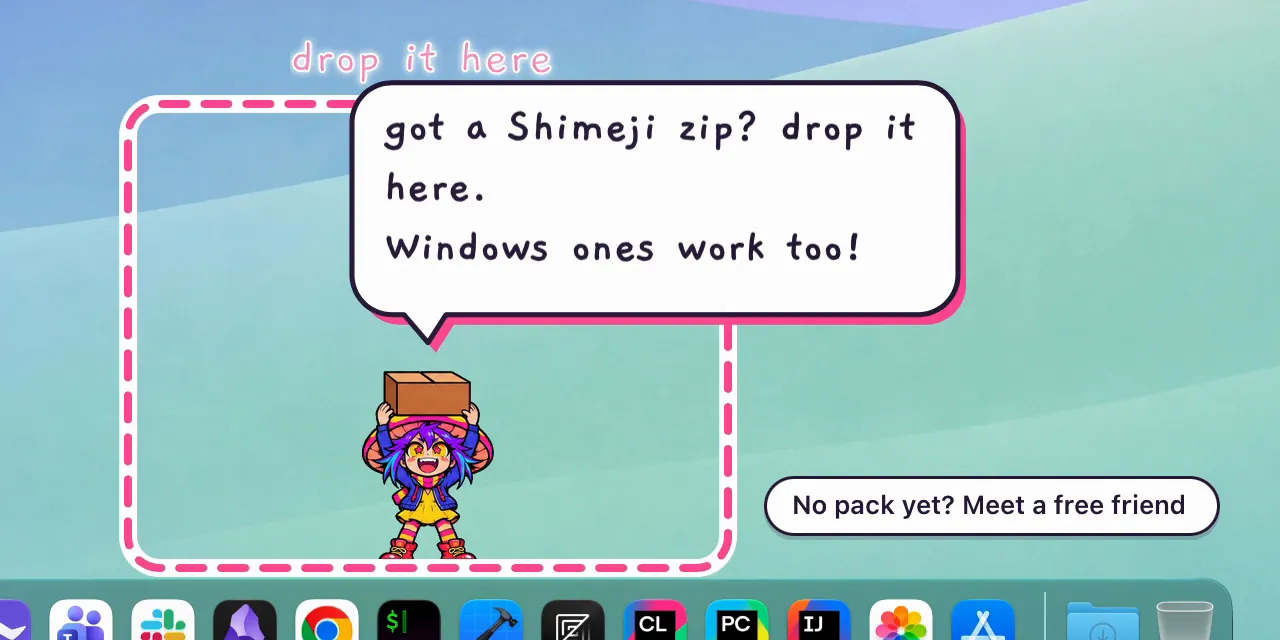
On a Mac, drop the zip on Shimejiko and a new friend pops out. Our free Shimeji pack checker shows what's inside a zip first, right in your browser.
Is the Shimeji app safe?
The real Shimeji apps are safe when you get them from their maker's page or an official store; the risk is look-alikes and re-uploads. A pack on its own is images and text files, which can't run anything.
- Windows: Shimeji-ee from kilkakon.com/shimeji, not a re-upload or an "installer" from another site.
- Mac: Shimejiko from shimejiko.app, signed and notarized by Apple. It never reads your screen or your keystrokes, and never uses the camera or microphone.
- Android: Google Play, from Digital Cosmos. A search there shows many look-alikes from other developers, so check the name before you allow display over other apps.
- Chrome: the Chrome Web Store listing by Shimejis.xyz. Security sites list a "Shimeji Custom Wallpapers" extension as a browser hijacker.
Never type a password or card number into something that calls itself a Shimeji installer. Is Shimeji safe?
Questions
Is the Shimeji app free?
Yes, every app here is free to download. Shimeji-ee and the Linux projects are open source, the Android app and the browser extension are paid for by ads, and the Android app and Mooshi sell in-app extras. Shimejiko is free, with Pro for a one-time $5.99.
Is Shimeji the same as Simeji?
No. Simeji is a Japanese keyboard app by Baidu Japan. Shimeji are little characters that live on your screen, named after the shimeji mushroom, and the Android Shimeji app's listing says it's unrelated to the Simeji keyboard.
What is Shimeji: Screen Buddies?
The name Digital Cosmos uses on its own site for its Android app. On the English Google Play listing, the same app is called Shimeji: Play with Screen Pets.
Is there a Shimejiko app for Windows or Android?
No. Shimejiko runs on a Mac. On other devices, use the apps above; your pack files work in most of them.
How do you use a Shimeji app?
On Android, install the app, allow it to display over other apps, and pick a character. On a Mac, open Shimejiko and drop a pack's zip on its window. On Windows, install Java, then unzip Shimeji-ee and start it. In Chrome, add the extension, open a normal web page and choose Spawn Shimeji from its toolbar icon.
On a Mac? Download Shimejiko free and drop in the pack you already have.


