Where to download Shimeji packs, and how to do it safely

Also in日本語한국어繁體中文简体中文EspañolDeutschPortuguês (Brasil)Français
Quick answer
Most Shimeji packs come from shimeji.org, a community library that hosts the files and shows a scan status for each, from artists' own pages on DeviantArt and itch.io, and from GameBanana's Shimeji section. Shimeji-ee itself, with its default character, is on Kilkakon's site. Download the pack the way the artist shares it, credit the artist, skip anything that only offers an installer or a browser extension, and on a Mac drop the zip on Shimejiko.
Download for MacThere are thousands of Shimeji out there, drawn by fans over more than fifteen years. Finding them is easy; finding a clean download takes a little care. Here's where Shimeji packs live, what a good download looks like, and how to run one on a Mac.
Where Shimeji packs live
| Where | What you'll find |
|---|---|
| shimeji.org | A large, unofficial, community-run library of packs that hosts the files itself and shows a scan status for each. Packs for PC and for the Android Shimeji app. Uploads aren't checked in advance; the community reports problems |
| DeviantArt | Where the classic Shimeji-ee packs were shared, on artists' own pages. Look for "free" or "D/L" in the title; some packs are commissions or for supporters only |
| itch.io | A shimeji tag with desktop-pet programs and some packs, from their makers' pages |
| GameBanana | A Shimeji section with a few dozen submissions |
| Kilkakon's Shimeji-ee page | kilkakon.com/shimeji: the Shimeji-ee program itself, a Windows app that needs Java, with its default character included |
How to download a pack safely
- Download it the way the artist shares it. Usually a zip, sometimes a rar or 7z file. Don't hunt for re-uploads of someone's pack on unknown sites.
- Look inside before you run anything. A pack is a folder of PNG images named
shime1.png,shime2.pngand so on, and usually aconffolder. That's all a character needs. - Skip downloads that are only an installer. If you can't see any images, don't run it.
- Never install a browser extension to get a Shimeji. Security sites list a "Shimeji Custom Wallpapers" extension as a browser hijacker that changes your homepage and search engine.
- Credit the artist if you share a screenshot, and keep the pack for personal use unless the artist says otherwise.
If you want to see what's inside a zip before you use it, our free Shimeji pack checker lists the characters, frames and any problems, right in your browser.
Packs for Android, PC and Mac
Shimeji packs are mostly the same everywhere: images plus settings files. Packs made for Shimeji-ee on Windows, for the original Shimeji and for the Android Shimeji app all run on a Mac in Shimejiko, with English or Japanese settings files. On Android, the Shimeji app by Digital Cosmos can import compatible PC packs.
On a Mac: drop the zip on Shimejiko
Shimejiko takes the file as you downloaded it, zip, rar, 7z or a Windows download that unpacks itself, reads the images and settings, and leaves any program files in it alone. Your character walks out onto your desktop, on top of your windows and the Dock.
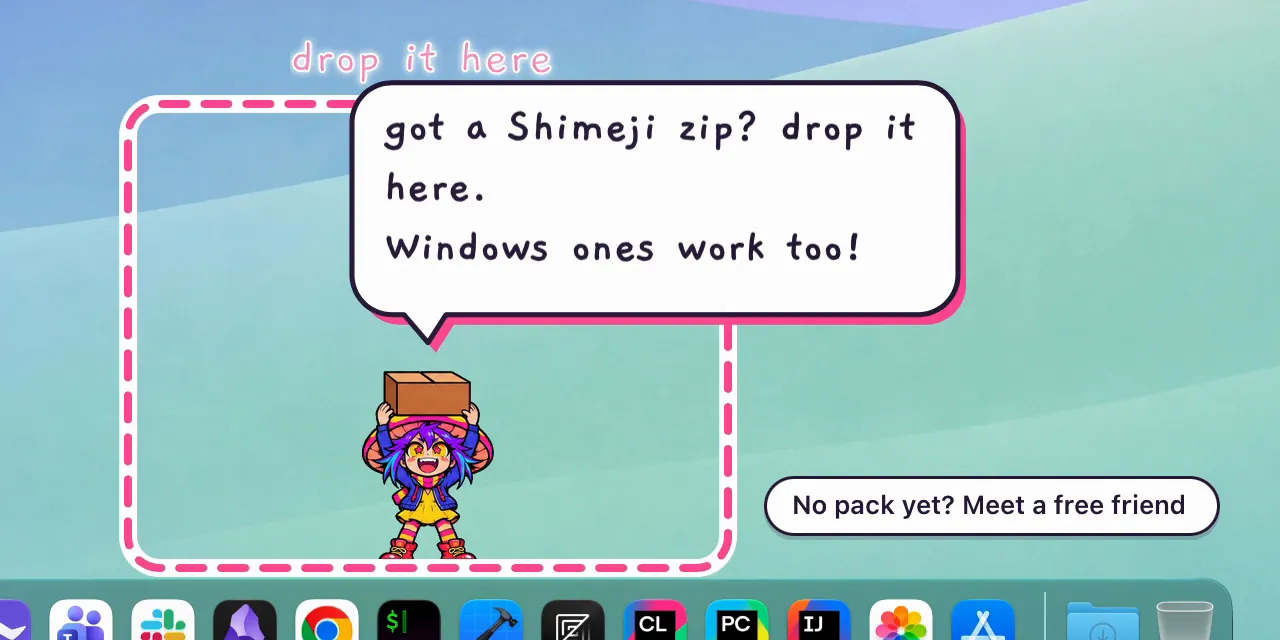
No pack yet? Shimejiko comes with Shimejiko herself and her 8-bit twin, and the Shop has original characters drawn for the app, whose artists get 70% of each sale.
Questions
Are Shimeji downloads free?
Most fan-made packs are free for personal use. Some artists sell packs or share them with supporters first.
Is shimeji.org safe?
It's a community library that hosts files and shows a scan status for each one, and its moderators remove reported problems. Still, look inside any download before you open it, as with any file from the internet.
Where do I download Shimeji-ee?
From its official page, kilkakon.com/shimeji. It runs on Windows with Java. On a Mac, use Shimejiko instead, which runs the same packs.
Can I use Android Shimeji packs on a Mac?
Yes. Shimejiko reads packs made for the Android Shimeji app as well as Windows ones.
My download has no images in it. What now?
Then it isn't a Shimeji pack. Delete it, and download the pack again from the artist's page.


