The MacBook lid angle sensor: which Macs have it, and the apps that use it

Also in日本語한국어繁體中文简体中文EspañolDeutschPortuguês (Brasil)Français
Quick answer
The lid angle sensor sits in the hinge of recent MacBooks and tells macOS how far the screen is open. Here is which MacBooks have one that apps can read, how apps read it without a public API, and six apps that turn it into a number, a creaking door, a bending desktop or desktop characters that slide.
Download for MacThe lid angle sensor is a part in a MacBook's hinge that tells macOS how far the screen is open, so the Mac knows when to sleep. Apps can read it on the MacBook Air from M2 and the 14 and 16-inch MacBook Pro from M1 Pro, through an undocumented interface, and turn it into readouts, creaking doors and bending desktops. We make Shimejiko, a desktop pet app whose characters slide when you tilt the lid.
Facts about other apps come from each project's own site or GitHub README, checked on 16 November 2026. Hardware facts come from Apple's repair pages and from tests on our own MacBook Pro. We haven't tried every app on every Mac.
What does the MacBook lid angle sensor do?
It measures the angle between the screen and the keyboard, from 0 degrees with the lid shut. Apple lists it as a separate part, the Lid Angle Sensor, in its repair manuals for the 14 and 16-inch MacBook Pro (2021) and the MacBook Air (M2, 2022). Apple's support page about the part says what it's for: if the sensor has an issue, "your Mac won't detect that the lid is closed, it won't go to sleep when closing the lid, and the secure audio and video lights might not function properly."
Apple doesn't offer the angle to developers, though. Sam Gold, who makes the Lid Angle Sensor app, writes that it isn't exposed as a public API, and his README answers why a laptop needs to know the exact angle of its lid with "Oh. I don't know."
On our 16-inch MacBook Pro with M4 Max, the sensor reports the angle in hundredths of a degree and refreshes it about ten times a second.
Which MacBooks have a lid angle sensor apps can read?
The MacBook Air from M2, and every 14 and 16-inch MacBook Pro from M1 Pro and M1 Max on. The middle column below is Shimejiko's own hardware matrix, the list our app checks against; the last column is what other sources say.
| MacBook | Shimejiko's hardware matrix | What other sources say |
|---|---|---|
| MacBook Air with M2 or later | Readable | Apple's M2 MacBook Air repair manual lists a Lid Angle Sensor; Bendy supports it |
| 14 and 16-inch MacBook Pro, M1 Pro and M1 Max or later | Readable | Apple's repair manuals for the 2021 models list the part; Bendy supports them |
| 13-inch MacBook Pro with M2 | No lid sensor | Apple's repair manual for it has no Lid Angle Sensor; Bendy and Lid Angle Sensor's README say it doesn't work |
| 13-inch MacBook Pro with M1, MacBook Air with M1 | No lid sensor | Bendy, BendMac and Lid Angle Sensor's README all say it doesn't work |
| MacBook Neo | Not expected, not tested | None of the pages we checked mention it |
| 16-inch MacBook Pro (2019, Intel) | Not read by Shimejiko | Lid Angle Sensor's README says the sensor was introduced on it; BendMac lists it as tested |
| Other Intel MacBooks | Not read by Shimejiko | No source we checked confirms one |
| iMac, Mac mini, Mac Studio | No lid | No lid |
Where the sources disagree:
- M1 and M2 in general. Lid Angle Sensor's README says people reported it "does not work on M1/M2 devices". Its own list of problem models names only the M1 MacBook Air and the 13-inch M1 and M2 MacBook Pro, and in its GitHub issue about M1, owners of a 14-inch M1 Pro and a 16-inch M1 Max reported that it works.
- The 2019 16-inch MacBook Pro. It has the part, and BendMac's README lists it as tested. Shimejiko reads the sensor through the sensor processor of Apple silicon MacBooks, so its lid tilt isn't available on that Intel Mac.
Even a supported model can hide it: some owners of an M2 MacBook Air and a 14-inch M4 MacBook Pro saw no lid device on some macOS versions. That's why Shimejiko reads the sensor once at launch instead of trusting the model name.
To check your own Mac, run the command Lid Angle Sensor's diagnostic script uses, in Terminal. If it lists a device, apps can read your lid angle.
hidutil list --matching '{"VendorID":0x5ac,"PrimaryUsagePage":32,"PrimaryUsage":138}'
More in Shimeji on Intel and Apple silicon Macs.
How do apps read the lid angle?
Through IOKit HID, the low-level macOS interface for input devices. The sensor shows up as an Apple HID device (vendor 0x05AC, product 0x8104, usage page 0x20, usage 0x8A), and an app asks it for a feature report. Report 1, which Andrew Moss's Lid Angle and DeepakNess's LidAngle read, holds whole degrees. Shimejiko asks for report 7 first, in hundredths of a degree, and falls back to report 1.
There's no public API, so this can change: LidAngle's README says the approach isn't safe for the App Store and may break with macOS updates. What we measured on our MacBook Pro:
- No prompt. Reading the angle needed no administrator password, no Input Monitoring permission and no special entitlement.
- The App Sandbox allows it with one entitlement. Signed for the sandbox, the same code was refused until we added Apple's USB device entitlement (
com.apple.security.device.usb), and then it read the angle as before (checked on 23 November 2026). LidAngle's README says it turns the sandbox off instead. Every app below is downloaded from GitHub or its maker's own site, though some lid angle apps on the Mac App Store read the sensor the same way. - It's cheap. One read takes under a millisecond. Reading it 5 times a second, as Shimejiko does at rest, used about 0.2 percent of one CPU core.
Which apps use the lid angle sensor?
Six that we could check on their own pages today, sorted by what you want the sensor to do. Each has one real drawback.
| App | Job | Price | Needs, per its own page |
|---|---|---|---|
| Lid Angle Sensor | Shows the angle, plays a creaking door | Free, open source | A MacBook with a lid angle sensor |
| Lid Angle and LidAngle | Just the number | Free, on GitHub | A Mac that exposes the sensor |
| Lid | Blurs, dims or locks the screen at angles you choose | Free for 1 rule, $4.99 for life | The Accessibility permission |
| Bendy | Bends your desktop as the lid closes | $4.99 once | macOS 14, MacBook Air from M2 or 14 or 16-inch MacBook Pro, Screen Recording |
| SlapMac's Lid Effects | The same kind of fold, inside a slap app | Comes with SlapMac, $12.99 | MacBook with M1 Pro or newer, macOS 14.6, Screen Recording |
| Shimejiko's lid tilt | Desktop characters slide and hide | Free; Pro $5.99 once | macOS 14, MacBook Air from M2 or 14 or 16-inch MacBook Pro from M1 Pro |
Lid Angle Sensor. Sam Gold's app shows the angle and, once you click Start Audio, plays a wooden door creaking as you move the lid slowly; his site also shows a theremin mode. It's free under the Apache 2.0 license: brew install lidanglesensor. The catch: the README says he has only tested it on his M4 MacBook Pro and hard-coded it to look for one specific sensor.
Lid Angle and LidAngle. Two free readouts with nearly the same name. Andrew Moss's Lid Angle is a small app you download from GitHub; without the sensor it shows an unavailable state instead of crashing. DeepakNess's LidAngle puts the angle in the menu bar as text, like 120°, updated about twice a second. The catch: Lid Angle isn't notarized, so you first open it with Open Anyway in System Settings → Privacy & Security, and LidAngle you build yourself in Xcode.
Lid. A menu bar app that acts on the angle: blur the screen at 60 degrees, dim it at 40, lock it at 20, and pause music and video as the lid comes down. One rule is free; unlimited rules, app rules and schedules are $4.99 for life. The catch: it needs the Accessibility permission to dim and lock, and its site doesn't list which MacBooks it supports.
Bendy. Your desktop tilts, blurs and settles as the lid comes down, then snaps back when you open it, in three styles called Silk, Shade and Frost. It's $4.99 once, for up to three Macs. The catch: it needs Screen Recording, because it captures your desktop to bend it; its site says frames are processed on the Mac and never saved or uploaded. BendMac and Bendd are free, open-source takes on the same idea, though neither is notarized yet.
SlapMac's Lid Effects. SlapMac, the $12.99 slap app, added Lid Effects in version 1.4.5: your desktop folds with the lid in styles called Drift, Dusk and Mist. The catch: it needs Screen Recording too, and if the fold is all you want, you're paying for an app built around slapping your MacBook. Slap apps, compared.
Shimejiko's lid tilt. In Shimejiko, the angle moves the characters on your desktop. Tilt the screen back and the friends on your Dock slide; bring it below about 30 degrees and they wave goodbye and hide; open it past 40 and they pop back out and stretch. The Mac magic page shows the angle on a dial.
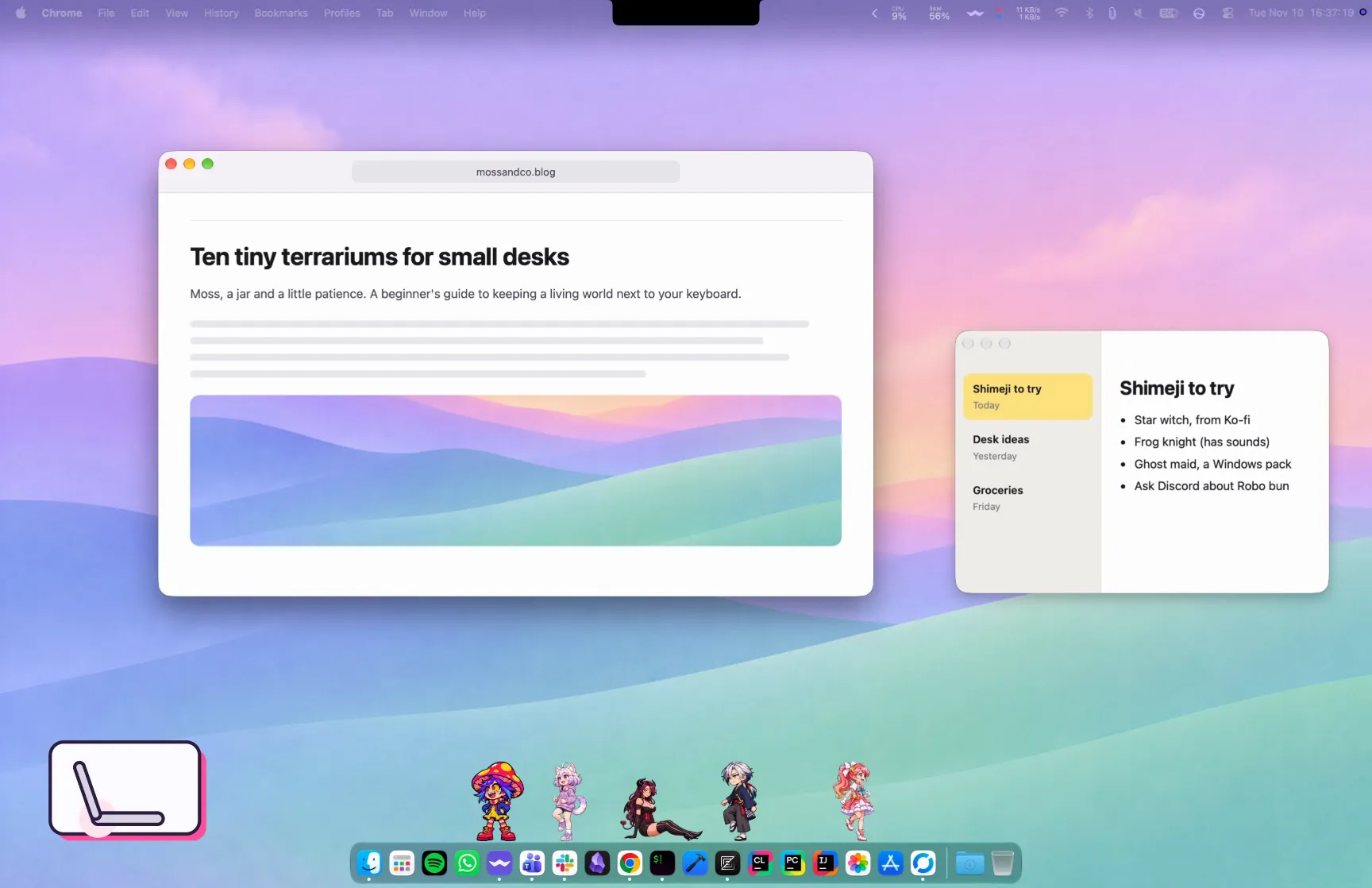
The app is free: the free version shows one character type at a time, up to 3 copies, and Mac magic works on Shimejiko herself. Pro is $5.99 once for every type at once and Mac magic for everyone. Our catch: on the free plan only Shimejiko herself slides, and lid tilt skips the 2019 Intel MacBook Pro that BendMac lists as tested. Every other trick: a desktop pet that notices your MacBook. The plans side by side: Shimejiko free vs Pro. More small delights: 12 fun Mac apps.
Is it safe to let apps read the lid angle?
Reading the angle is a small thing: one number about your hinge, and on our Mac it took no permission. Look instead at what else an app asks for. The apps that bend your desktop need Screen Recording to capture the screen they fold, and each says the frames stay on your Mac. Lid needs Accessibility. Lid Angle, BendMac and Bendd aren't notarized by Apple yet, so get them only from the project's own GitHub page.
Shimejiko's lid tilt needs no permission. Shimejiko never captures or reads your screen, never reads what you type and never uses the camera or microphone; it asks for Accessibility only if you want characters to throw windows or cheer while you type (when to allow it). And what a desktop pet costs your battery: desktop pets and battery life.
Questions
Does my MacBook have a lid angle sensor?
If it's a MacBook Air from M2 or a 14 or 16-inch MacBook Pro from M1 Pro, almost certainly, and apps can read it. The 13-inch MacBook Pro and the M1 MacBook Air have none that apps can see. The hidutil command above, or Shimejiko's Mac magic page, tells you for sure.
Is the lid angle sensor the same as the motion sensor?
No. Slap apps and Shimejiko's knock read the accelerometer, a separate sensor. The 13-inch MacBook Pro with M2 has the motion sensor but no lid angle sensor. More in slap your MacBook.
Does Shimejiko show the lid angle?
Yes, on its Mac magic page, as a dial with the angle in whole degrees. It's a desktop pet app first, though: if all you want is the number, a free readout above is simpler.
A lid is more fun with someone standing on it. Download Shimejiko free and tilt your screen back a little.



