Mac clipboard history: how to open it in Spotlight, how long it keeps things, and what Sequoia and Sonoma do instead

Also in日本語한국어繁體中文简体中文EspañolDeutschPortuguês (Brasil)Français
Quick answer
Mac clipboard history lives in Spotlight on macOS Tahoe 26 and macOS 27 Golden Gate: press Command-Space bar, then Command-4, and click Allow the first time. This guide sets Apple's pages for macOS 27, Tahoe, Sequoia and Sonoma side by side and covers how long the history lasts, how to clear or turn it off, what older Macs offer, Universal Clipboard and the paste keys, what Apple says about privacy, and which apps keep more.
Download for MacDownload on the App StoreTo see your clipboard history on a Mac, press Command-Space bar to open Spotlight, then press Command-4 or click the Clipboard button to the right of the search field. The first time, Spotlight may ask whether to allow search results from the Clipboard: click Allow (on Tahoe, Enable). Type to search, click the copy button beside an item or select it and press Command-C, then paste with Command-V. To erase the list, click the More button and choose Clear History. This needs macOS Tahoe 26 or later; on Sequoia and Sonoma, the Finder's Edit › Show Clipboard shows only the last thing you copied.
Everything below comes from pages we opened on 25 November 2026. From Apple's Mac User Guide: Search your Clipboard history in Spotlight for macOS 27 Golden Gate and Tahoe, the only two editions that page has; Spotlight settings for macOS 27, Tahoe and Sequoia; Spotlight keyboard shortcuts for macOS 27, Tahoe, Sequoia and Sonoma; and the Universal Clipboard page for macOS 27, Tahoe, Sequoia and Sonoma. Apple's support articles: Use Universal Clipboard, published February 18, 2026; Continuity features and requirements, published March 17, 2026; Mac keyboard shortcuts, published September 14, 2026; and What's new in the updates for macOS Tahoe 26, published November 9, 2026. Where Apple says nothing, the source is named: MacRumors, Lifehacker, MacPaw, Paste's blog or an app's maker. The Shimejiko section is read from the app's source code. We didn't try any of it on a Mac.
How do you see your Mac clipboard history?
Apple's steps for macOS 27, with the one Tahoe difference noted:
- Press Command-Space bar to open Spotlight.
- Press Command-4, or click the Clipboard button to the right of the search field.
- If Spotlight asks whether to allow search results from the Clipboard, click Allow. Tahoe's page says you may be asked to click Enable instead.
- Type part of what you copied to narrow the list.
- Click the copy button to the right of an item, or select the item and press Command-C. Then click where it should go and press Command-V.
Apple's macOS 27 Spotlight page describes it as a way to "search text and files you've previously copied to the clipboard", so it isn't limited to words. Lifehacker's November 2025 walkthrough adds that pressing Return on a selected item pastes it straight into the app in front; Apple documents only copy, then paste, and we haven't checked Return ourselves.
Paste's blog says no single key combination opens the clipboard directly. Apple's Spotlight shortcut tables for Tahoe and macOS 27 fit that: Command-4 is Search Clipboard, listed beside Command-1 for applications, Command-2 for files and Command-3 for actions, all as keys inside Spotlight.
Every way to get back something you copied
| Route | What you get back | Which macOS | Who documents it |
|---|---|---|---|
| Spotlight, Command-Space bar then Command-4 | Everything still inside the time you chose | Tahoe 26 and macOS 27 | Apple |
| The Clipboard button beside Spotlight's search field | The same list, with the mouse | Tahoe 26 and macOS 27 | Apple |
| Finder › Edit › Show Clipboard | A window with the latest item only | No version limit given | MacPaw, updated January 20, 2026 |
| Paste on a nearby iPhone, iPad or Mac | Your most recent copy, for a short time | macOS Sierra 10.12 or later | Apple, Universal Clipboard |
| Control-K, then Control-Y | Text you cut, kept apart from Command-C | No version limit given | Apple's shortcuts article |
| A clipboard manager app | Its own history, often longer | Depends on the app | Each maker |
Control-K is the odd one: Apple says it cuts text into "a clipboard that is available only to the app from which it was cut", and Control-Y pastes it back in that app, leaving your Command-C clipboard alone.
How long does clipboard history last on a Mac?
On macOS 27 you pick. Apple's Spotlight settings page has an option labeled "Clipboard history is available in Spotlight" with three choices: 30 minutes, 8 hours or 7 days, and adds that "Your Clipboard history older than the timeframe you choose won't be visible in Spotlight." It doesn't say which choice is set at first, or whether older items are erased rather than hidden.
The pages people find for this question don't give the same numbers:
| Source | Dated | How long it says items stay |
|---|---|---|
| Apple, Spotlight settings, macOS 27 | Read 25 November 2026 | 30 minutes, 8 hours or 7 days |
| Apple, Spotlight settings, Tahoe | Read 25 November 2026 | No time setting listed, only a Clipboard Search switch |
| MacRumors | November 4, 2025 | Tahoe 26.1 added 30 minutes, 8 hours and 7 days; before that, up to eight hours |
| Lifehacker | November 14, 2025 | 8 hours, 7 days or 30 days |
| Paste's blog | October 12, 2026 | 30 minutes, 8 hours or 7 days, and nothing from before you gave permission |
Our reading: Apple's macOS 27 page and MacRumors match, and Tahoe's settings page seems never to have been revised after 26.1, which MacRumors says Apple left out of its release notes; Apple's list of Tahoe updates still says nothing about the clipboard under 26.1. Lifehacker's 30 days is on no Apple page we read, so treat 7 days as the longest built-in choice.
Before Tahoe, MacPaw notes, the clipboard held one item: copy something new and the previous one is gone.
How do you clear or turn off clipboard history?
There are three levels, from quick to permanent:
- Empty the list now. Open the clipboard in Spotlight, click the More button to the right of the search field, then choose Clear History.
- Empty it from System Settings. On macOS 27, open the System Settings app and click Spotlight in the sidebar. Click Clear Clipboard History, then click Clear. Apple says this removes your Clipboard history "from Spotlight search results on your device".
- Stop collecting. In the same pane, turn off Results from Clipboard; on Tahoe, the switch is called Clipboard Search. Apple describes it as allowing "the contents of your Clipboard to appear in Spotlight search results".
A middle path is the shortest window, 30 minutes: the feature stays for quick fixes without a week of copies lying around.
Two neighbors in that pane do other jobs. Delete Search History, under Spotlight Search History, wipes your searches; MacRumors noted that the clipboard button spares them. Help Apple Improve Search decides whether Apple may store your Safari, Siri, Spotlight, Lookup and #images search queries, kept, Apple says, in a way that doesn't identify you.
What changed between macOS 27, Tahoe, Sequoia and Sonoma?
Apple added the feature in Tahoe and reworded it in macOS 27. Its Tahoe article lists the Applications, Files, Actions and Clipboard buttons next to Spotlight's search field as new in Tahoe 26. Sequoia and Sonoma have no clipboard page at all: the version menu on Apple's page offers only macOS 27 and Tahoe 26.
| macOS 27 | 26 Tahoe | 15 Sequoia | 14 Sonoma | |
|---|---|---|---|---|
| Clipboard history page | Yes | Yes | None | None |
| How Apple orders step 2 | "Press Command-4 or click" the Clipboard button | "Click" the Clipboard button, "or Press Command-4" | No clipboard | No clipboard |
| First-use prompt | Allow search results from the Clipboard, click Allow | Click Enable in Spotlight | No clipboard | No clipboard |
| Name of the Spotlight setting | Results from Clipboard | Clipboard Search | None | None; the settings page has no Sonoma edition |
| How long it keeps items, per the settings page | 30 minutes, 8 hours or 7 days | Not listed | None | None |
| Clear Clipboard History in settings | Yes | Not listed | None | None |
| Command-1 to Command-4 in Spotlight's shortcut table | Yes | Yes | No | No |
| Spotlight overview page | Find what you need with Spotlight, with a Clipboard history row | Search for anything with Spotlight, with "Browse your Clipboard history" | Search for anything with Spotlight, no clipboard | Search with Spotlight, no clipboard |
| How the settings steps begin | Go to the System Settings app | Apple menu › System Settings | Apple menu › System Settings | No edition |
| Universal Clipboard page title | Copy and paste between your Mac and other Apple devices | Same as macOS 27 | Copy and paste between your Apple devices | Copy and paste between devices from your Mac |
| Universal Clipboard range | 30 feet (10 meters) | Same | Same | Not stated |
Sources: the pages linked at the top, plus the Spotlight overview for macOS 27, Tahoe, Sequoia and Sonoma. Sequoia's settings page lists Search results, Improve Search and Search Privacy, and nothing for the clipboard.
The prompt is the change most likely to confuse: a Tahoe guide's Enable won't match macOS 27's Allow. Both pages carry the same warning: "Sensitive information may appear on the Clipboard."
Does Apple save your clipboard history, and is it private?
Here is what Apple's pages commit to, and what they leave open:
- Where it lives. Apple says Clear Clipboard History removes the history from Spotlight search results "on your device". Its pages don't describe the list syncing anywhere. Paste's blog states it outright: the built-in history belongs to the Mac you copied on.
- Passwords. Apple doesn't say any are left out; its only note is that sensitive information may appear. Lifehacker writes that passwords copied from Apple Passwords or other password managers don't show up, which Apple's guide doesn't confirm and we haven't tested. If you copy one-time codes or card numbers, the 30-minute window or Clear History afterward is the cautious choice.
- Apps reading the clipboard. Apple's developer documentation for NSPasteboard describes an alert macOS shows when an app reads the general pasteboard by itself rather than because you pasted. An app that has triggered one is listed in System Settings, where you can set it to ask, always allow or always deny. MacRumors covered Apple's notice to developers on May 12, 2025. The macOS 27 guide's Privacy & Security page lists no such setting, so we can't name the pane.
How does Universal Clipboard fit with clipboard history?
Universal Clipboard moves your latest copy between devices; it is not a history. Apple's support article says copied content "remains there briefly, or until you replace it by copying something else on either device", and the user guide says it's available "for a short time". What it needs, per Apple:
- Wi-Fi, Bluetooth and Handoff turned on, on both devices. Handoff is on by default, the article says.
- The same Apple Account on both.
- Devices close together: the guide says within 30 feet (10 meters).
- macOS Sierra 10.12 or later on a Mac from 2012 or later (Mac Pro from 2013 or later), iOS 10 or later on iPhone 5 or later, iPadOS on the iPad models Apple lists, or any Apple Vision Pro. Copying whole files from Mac to Mac needs macOS High Sierra 10.13 or later on each.
Apple calls it best for small selections of text or copied images. If pasting on the other device does nothing, its fixes are software updates, a restart of both devices and a check of the setup above. Apple doesn't say whether an item arriving from an iPhone also lands in Spotlight's clipboard list.
Which copy and paste shortcuts go with it?
These come from Apple's Mac keyboard shortcuts article. The full set, grouped by task, is in our Mac keyboard shortcuts guide.
| Keys | What Apple says they do |
|---|---|
| Command-C | Copy the selection to the Clipboard; works for files in the Finder too |
| Command-X | Cut the selection and copy it to the Clipboard |
| Command-V | Paste the Clipboard's contents; works for files in the Finder too |
| Option-Shift-Command-V | Paste and Match Style: the pasted item takes the style of the text around it |
| Option-Command-C | Copy Style: copy the formatting of the selected item |
| Option-Command-V | Paste Style in a document; in the Finder, move copied files to the current location |
| Control-K, Control-Y | Cut to, and paste from, a clipboard private to one app |
| Command-Space bar, then Command-4 | Open the clipboard history, on Tahoe and macOS 27 |
Screenshots can go straight to the clipboard too: add Control to the usual screenshot keys and no file is saved, as our screenshot guide explains.
What can you do on Sequoia or Sonoma?
Without Tahoe there's no history to open, but three things help:
- See the current item. MacPaw's route: in the Finder, choose Edit › Show Clipboard. The window shows only the latest thing you copied.
- Keep a second item aside. Cut text with Control-K and paste it with Control-Y, while Command-C and Command-V carry something else.
- Add an app. The managers below all run on Sonoma or Sequoia except Raycast's current version. Our best Mac apps guide has a free clipboard pick that covers both versions.
If something you reuse every day keeps falling out of the clipboard, it may belong in a note instead; our sticky notes guide covers Stickies and its alternatives.
Which clipboard managers do the top results name?
Today's top results name these. Each row comes from the maker's own page or App Store listing, checked 2026-11-25 in US dollars unless stated. We haven't installed or tested them, and the order means nothing.
| App | Named by | How long it keeps copies | Price | Needs |
|---|---|---|---|---|
| Paste | Paste's blog, MacPaw | From a day to forever, a month by default | $3.99 a month, $29.99 a year or $89.99 once for Lifetime; 7-day free trial | macOS 14 or later |
| CopyClip | Its own App Store page is a top result | The listing doesn't say | Free | macOS 12.0 or later |
| Raycast | Lifehacker | 3 months free, unlimited with Pro | Free; Pro $10 a month or $96 a year | macOS Tahoe and Apple silicon, per its download button |
| Alfred | Lifehacker | 24 hours, 7 days, 1 month or 3 months | Clipboard History needs the Powerpack: £40, or £70 as Mega Supporter | macOS 12 or later, Intel and Apple silicon |
What sets each apart, in its maker's words:
- Paste opens with Shift-Command-V, searches text inside images, and syncs the history across Mac, iPhone and iPad through your own iCloud. Its blog says it ignores fields that password managers mark as secret and lets you exclude apps.
- CopyClip, from FIPLAB, sits in the menu bar and "stores all that you have copied or cut in the past". Version 1.9.87, on October 23, added support for macOS Golden Gate.
- Raycast is a launcher whose free plan already includes Clipboard History; the catch is the system it needs, shown in the table.
- Alfred keeps Clipboard History off by default for privacy and asks for Accessibility access once you switch it on. It ignores the Passwords app, 1Password and anything marked as concealed unless you change that.
MacPaw also names Rocket Typist, for phrases you type often, and Unclutter, a pull-down shelf for files, notes and clips; we didn't check their prices.
Why is my Mac clipboard history empty or missing?
Work down this list, built from Apple's pages and the sources above:
- The Mac runs Sequoia or earlier. Apple has no clipboard page for those versions, and Command-4 isn't in their Spotlight shortcut tables.
- You never allowed it. Open the System Settings app, click Spotlight, and turn on Results from Clipboard (Clipboard Search on Tahoe).
- The item is older than your window. At 30 minutes, an hour-old copy won't be visible. Choose 8 hours or 7 days.
- You copied it before giving permission, or the list was cleared. Paste's blog says recording starts only when you allow it, and either clear button empties everything.
- Command-Space bar does something else. Apple notes that in some versions of macOS, with more than one input source, these keys switch input sources instead; its page on conflicting shortcuts explains how to change them.
- Copy and paste themselves stopped working. MacPaw's fix: open Activity Monitor from Applications › Utilities, search for pboard and quit that process, then try again; if that fails, restart the Mac.
- The item came from your iPhone. Universal Clipboard carries one item for a short time; check Wi-Fi, Bluetooth, Handoff, the Apple Account and the distance.
Does Shimejiko read what you copy?
We make Shimejiko, a Mac app that lets small pixel characters loose on your desktop to stroll the Dock, scale windows and get thrown around. A clipboard history makes people ask which apps look at their copies, so we searched the app's source code for every spot that touches a pasteboard, the system's name for the clipboard and for the data carried in a drag. This is what the code does, not something we measured:
- It never opens your clipboard on its own. No line reads or writes the general pasteboard, the one Command-C and Command-V use, so nothing you copy reaches Shimejiko and it adds nothing to Spotlight's list. Nor does it read the pasteboard in the background, the kind of access that sets off the alert described above.
- Copy and paste work only in its text boxes. Its Edit menu has the standard Cut, Copy, Paste and Select All, acting on the field you're typing in: the Library and Shop search boxes, the rename box, and the Restore Pro sheet, which asks for your checkout email and then a 6-digit code sent to it. Pasting that code from Mail is ordinary copy and paste.
- Packs don't come in by paste. Copying a zip in the Finder and pressing Command-V in Shimejiko imports nothing. Use File › Import a Shimeji Pack… (Command-I), or drag the zip or folder onto the app's window, the Library's "drop a zip here" slot or the menu bar mushroom. Those spots take file locations only, so a dragged web link is ignored; download the pack first. Which file to pick is in Shimeji ZIP, RAR and JAR files.
- Dragging a character out of the menu bar leaves no clipping. The drag carries a private type no other app accepts, so no text clipping lands on the desktop and no name gets typed into a field.
- Grabbing and throwing is plain mouse work. Flinging a character, as in the clip below, runs on mouse events in the app's see-through layer, with no pasteboard involved.
- The typing cheer counts keys and never reads them. In the copy from shimejiko.app, once Accessibility is allowed, characters cheer after a fast typing streak. The setting says "We count keys, never read them", and the code stores only when a key went down, so a Command-C press is just one more key.
The drawback is the other side of that choice: you can't hand Shimejiko anything through the clipboard. A copied link or picture can't become a character; save the file, then import it. If a character sits on text you want to select, press ⌥⌘H (Option-Command-H) to hide everyone, copy, and press it again. Characters catch clicks only over their own drawn pixels, so usually you can select right past them.
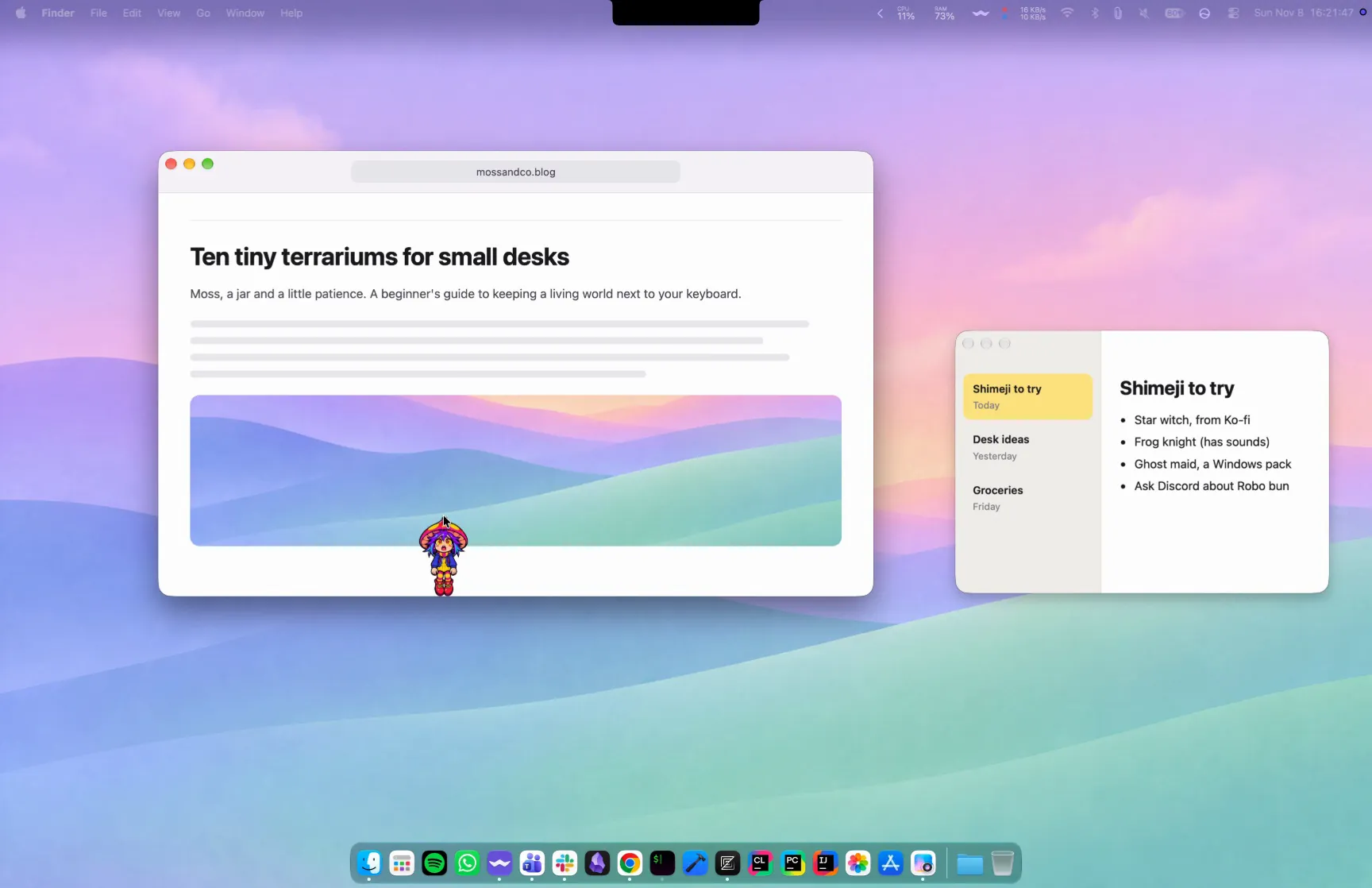
Recorded in the app, the clip shows a throw: Shimejiko sent flying across the desktop. None of it passes through the clipboard, so Spotlight's list would look the same before and after.
Shimejiko is a free download for macOS 14 Sonoma or later, on Apple silicon and Intel. The free plan lets one character type out at a time, up to 3 copies of it; Pro is a single $5.99 payment for up to 3 Macs that lets the whole crew out together (price checked 2026-11-25 on shimejiko.app). Download Shimejiko, or see which Mac permissions it asks for, and why.
Questions
Does a Mac save your clipboard history?
On macOS Tahoe 26 and macOS 27, yes, once you allow it: Spotlight keeps your copies for the window you choose, up to 7 days on macOS 27. On Sequoia and earlier, the clipboard holds only your most recent copy.
How do you clear the clipboard on a Mac?
In Spotlight's clipboard view, click the More button and choose Clear History. On macOS 27 you can also click Clear Clipboard History in System Settings › Spotlight, or turn off Results from Clipboard to stop collecting.
Can I see my iPhone's clipboard history on my Mac?
Not with Apple's tools. Universal Clipboard passes only your latest copy, for a short time, between devices signed in to the same Apple Account. Of the apps above, Paste says it syncs the whole history across Mac, iPhone and iPad.
What is the best clipboard manager for Mac?
It depends on your Mac. On Tahoe or macOS 27, try Spotlight's built-in list first. For longer history or syncing with an iPhone, compare the apps in the table above; Raycast needs Tahoe and Apple silicon, while Alfred, CopyClip and Paste run on older versions.