Desktop Mate mods: custom avatars, what still works, and your own characters on a Mac

Also in日本語한국어繁體中文简体中文EspañolDeutschPortuguês (Brasil)Français
Quick answer
Desktop Mate has no official mod support: new characters come only as paid DLC. The best-known community mods ran on MelonLoader on Windows, like Custom Avatar Loader for your own VRM models and MateChat for AI chat, but their own pages now say they're archived or no longer work. Here is what each one did, what it needed, the risks, whether any of it works on a Mac, and how to put your own character on a Mac desktop.
Download for MacDesktop Mate mods are unofficial community add-ons. The best known, Custom Avatar Loader, put any VRM model into Desktop Mate through the MelonLoader mod loader on Windows, and MateChat added AI chat. Today the loader's repository is archived, and MateChat's README says Desktop Mate no longer supports modding. The only official characters are paid DLC. We make Shimejiko, a Mac app that runs your own 2D characters instead.
Facts about Desktop Mate and its mods come from the Steam store page and each project's own GitHub README, checked on 16 November 2026. We haven't installed or tested any of these mods ourselves.
Does Desktop Mate support mods officially?
No. The Desktop Mate Steam page promises new officially licensed character DLCs on a regular basis, and mentions no Workshop, no mods and no way to import your own models. Desktop Mate has no Steam Workshop either: its Workshop address opens Steam's general Workshop page instead. On 16 November 2026 the store listed 45 character DLCs, most at $14.99 each, alongside the free app.
Its terms of use, linked from the Steam page as the Desktop Mate EULA, say users may not modify, disassemble, decompile or reverse engineer the app or its content beyond the scope infiniteloop, its developer, allows. So everything below except the DLC is unofficial, and whether a mod fits those terms is for you to judge from the text.
Which Desktop Mate mods and options exist?
Here are five options we could check on their own pages today, ranked by the job you want done. Each has one real drawback.
| Option | Made by | The job | Needs | Status on 16 November 2026 |
|---|---|---|---|---|
| Official character DLC | infiniteloop | Change who sits on your desktop, legitimately | Desktop Mate on Steam | 45 DLCs listed, most $14.99 |
| Custom Avatar Loader | YusufOzmen01, MIT license | Load any VRM model into Desktop Mate | Windows, MelonLoader 0.6.6, .NET Runtime 6.0 | Repository archived on 4 December 2025 |
| MateChat | dvhsh | Chat with your mate through AI language model APIs | MelonLoader, an API key, optional voice server | README says no longer maintained |
| Mate Engine | shinyflvre | A separate app built for custom VRM models | Windows | Last code update January 2026; free on GitHub, $5.49 on Steam |
| Shimejiko | Decktopus, Inc. | Your own 2D characters on a Mac | macOS 14 or later | Free; Pro $5.99 once |
Official character DLC. The only supported route. The characters are officially licensed, from Hatsune Miku and Sanrio's Hello Kitty to Street Fighter 6's Ryu and Chun-Li, and they sit on your windows, chase the pointer and react to head pats. The catch: you can only pick from infiniteloop's list, and at $14.99 a character it adds up.
Custom Avatar Loader. The mod most people mean by "Desktop Mate mods". Its GitHub page says it lets you use any .VRM model inside Desktop Mate: you click your character, press F4 and pick a VRM file. It needs MelonLoader (the README recommends version 0.6.6) and Microsoft's .NET Runtime 6.0, and its files go into the Desktop Mate folder. Version 1.0.3 added VRM 0.0 models, and the last release, 1.0.4, came out on 14 January 2025. Follow the README itself rather than a re-upload. The catch: the owner archived the repository on 4 December 2025, so it's read-only and won't get fixes.
MateChat. A MelonLoader mod that adds an AI chat window and optional text to speech. Its README lists several AI providers, an API key in a settings file and a separate GPT-SoVITS server for the voice. The catch: the README opens with a note that Desktop Mate no longer supports modding, so the project won't be maintained or supported.
Mate Engine. Not a mod but a separate, open-source app that its README calls a free alternative to Desktop Mate with custom VRM support. It's free on GitHub, and the Steam version is $5.49 with Steam Workshop support. Its license is mixed, GNU AGPL v3 plus the author's own MateProv2 license, and the default avatar is all rights reserved by its artist. The catch: it's for Windows only (Steam lists Windows 11, with Windows 10 supported but untested), and the README warns that Windows Defender may flag the unsigned app, which it calls a false positive.
Shimejiko. Our app, for a different job: your own characters on a Mac, as 2D Shimeji instead of 3D models. More on it below.
Do Desktop Mate mods still work?
Their own pages say they stopped. In February 2025, users reported in MelonLoader's issue tracker that Desktop Mate crashed with MelonLoader after an update. A MelonLoader collaborator replied that if a game is actively preventing MelonLoader, there is not much they can do, and the issue was closed. MateChat's README says Desktop Mate no longer supports modding, and Mate Engine's README says modding and custom models were disabled in later versions. infiniteloop hasn't said anything about mods on its Steam page.
Are Desktop Mate mods safe?
They carry real risks, so go in knowing them:
- You run code from strangers. MelonLoader, which describes itself as a mod loader for Unity games, works on Windows by placing a proxy DLL such as
version.dllin the game folder, so the game loads it at startup. Every mod is more code that runs with your user account's permissions. - Updates break them. A mod is tied to the version it was made for, and the February 2025 update stopped mods loading.
- The terms. Desktop Mate's terms forbid modifying or reverse engineering the app beyond what infiniteloop allows.
- Model licenses. A VRM file carries its own license settings, which the VRM site lists: who may use the avatar, whether violent or sexual acts are allowed, whether commercial use is, and whether it may be redistributed or modified. Read them before you load a model, and don't share models you don't have the rights to.
A Shimeji pack is a lower-risk thing to download: it's PNG images and XML settings, with no code of its own. Is Shimeji safe? explains what to check.
Do Desktop Mate mods work on a Mac?
None of them say so. Desktop Mate itself runs on Macs with Apple silicon and macOS Monterey 12 or later, according to its Steam page, and Desktop Mate on Mac covers that beta in detail. But Custom Avatar Loader's README links a Windows installer for MelonLoader and a Windows x64 .NET runtime, and doesn't mention the Mac, and MateChat's README doesn't either. MelonLoader now offers a macOS installer, but we found no Desktop Mate mod that says it supports the Mac version, and we haven't tried.
Mate Engine is Windows only on Steam. An unofficial macOS port exists, but its README calls it pre-alpha and not ready for end users.
How do you put your own character on a Mac desktop?
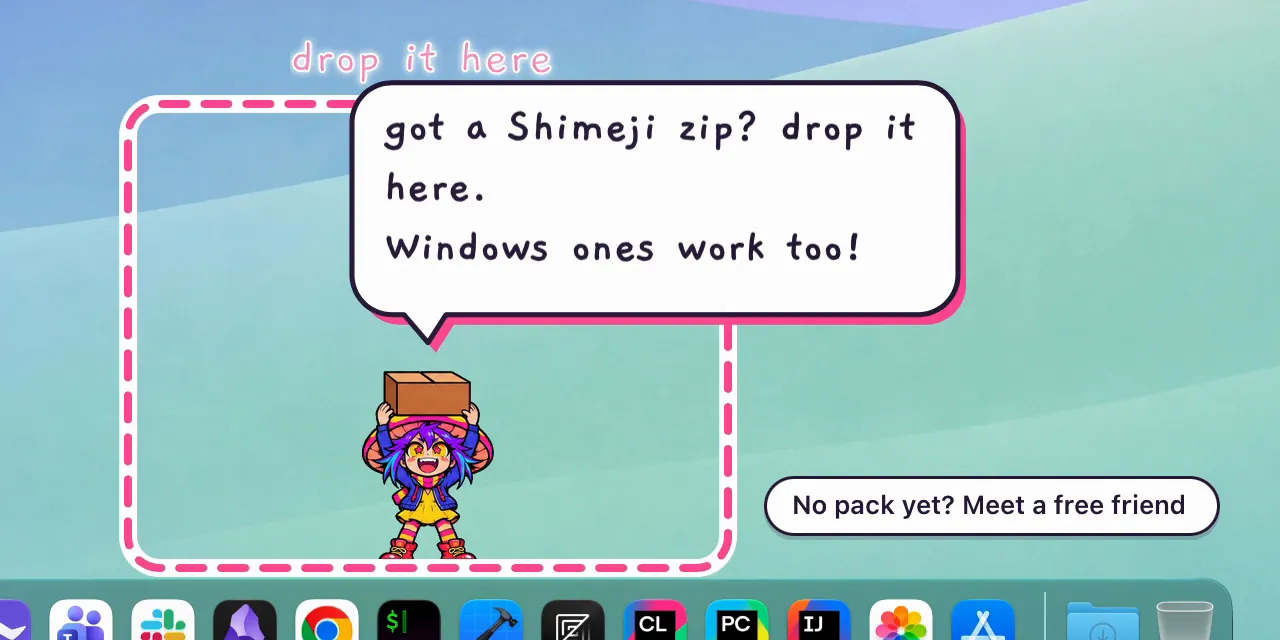
With a Shimeji. Shimejiko is a native Mac app for macOS 14 Sonoma or later, on Apple silicon and Intel, that runs Shimeji and Shimeji-ee packs: the fan-made 2D characters made for Windows. Drop a zip, rar or 7z file or a folder on it, and Windows and Android packs work too. It reads the images and settings, ignores any .jar or .exe in the download, and never uploads your packs.
To make your own character, draw it in each pose as transparent PNG frames: how to make a Shimeji walks through it, and the Shimeji template shows all 46 frames with a free blank one. In the Library, the test bench plays every move frame by frame and points to mistakes in the settings files. An optional shimejiko.json file picks how your character reacts to the Mac. For characters other people made, see where to download Shimeji packs.
The characters walk on the Dock, climb and sit on windows, hang from the notch and can be picked up and thrown. On a recent MacBook they also react when you knock on the case, tilt the lid or stroke the trackpad, which the app calls Mac magic; a desktop pet that notices your MacBook shows each trick.

That clip was recorded with Pro. Here is how free and Pro work in the current app. Free shows Shimejiko, her bundled friends and any Shop packs you buy, one character type at a time and up to 3 copies, with Mac magic on Shimejiko herself. Your first import starts a three-day Pro trial, once per Mac, with your own packs on screen and Mac magic for everyone. After the trial, your imported packs stay in your Library, but putting them on screen needs Pro, $5.99 once, for up to 3 Macs. Original characters in the Shop cost $1.99 to $3.99. Shimejiko never captures your screen, reads your keystrokes or uses the camera or microphone.
Our catch: Shimejiko doesn't load VRM or any other 3D model, so your character has to be drawn as 2D frames. And after the three-day trial, your own characters need Pro.
Questions
Is there an official custom avatar feature in Desktop Mate?
No. Its Steam page offers officially licensed DLC characters only, and Desktop Mate has no Steam Workshop. Custom models came only through unofficial mods.
Can I use a VRM model in Shimejiko?
No. Shimejiko runs Shimeji packs, which are PNG frames plus XML settings. To bring a character you love, draw it in the Shimeji poses, or ask an artist who makes Shimeji.
Can I move my Desktop Mate DLC characters to another app?
Not under Desktop Mate's terms, which forbid reproducing, adapting or otherwise using its content beyond what infiniteloop allows. The characters are tied to its app and your Steam account, and Shimejiko can't read them.
What's the best Desktop Mate alternative on a Mac?
It depends on whether you want 3D or 2D. For 3D licensed characters, Desktop Mate's own Mac beta runs on Apple silicon. For characters that roam your whole Mac, including your own, see Desktop Mate on Mac and the best desktop pets for Mac.
Want your own character on your Mac today? Download Shimejiko free, drop in a pack and try it during the three-day trial.


