Pixel or illustrated Shimeji? Choose a desktop pet for your Mac

Also in日本語한국어繁體中文简体中文EspañolDeutschPortuguês (Brasil)Français
Quick answer
Shimejiko supports illustrated and 8-bit desktop pets in the same Mac app. Start with the illustrated Shimejiko or her free 8-bit twin, then choose original Shop packs or compatible community packs by their artwork and movements.
Download for MacA pixel Shimeji can give your Mac a retro-game feel. An illustrated companion can bring bolder outlines and more detail. Shimejiko supports both, so choosing an art style does not require switching apps or giving up the packs you already enjoy.
What is different about pixel and illustrated Shimeji?
The main difference is the artwork. Pixel art uses deliberately visible blocks of color; illustrated characters use drawn shapes and outlines. Both are animated from character frames. The style alone does not tell you how many moves a pack has, how well it imports or how much energy it uses.
Look at the character in motion, not just the shop thumbnail. A face that looks lovely in a large image may be hard to read at the size you want beside your Dock. A simple silhouette may be easier to spot on a busy wallpaper. These are preferences, not a ranking of which style is better.
Which characters can you start with for free?
The current default Shimejiko is an illustrated girl in a mushroom cap. Her 8-bit twin, Pixel Shimejiko, is the free friend introduced during the welcome show. The older pixel look remains available; the illustrated mascot has not made pixel characters obsolete.
This recording from the real app shows the welcome scene and the twin emerging from the box. The speech bubbles in this clip are in English.
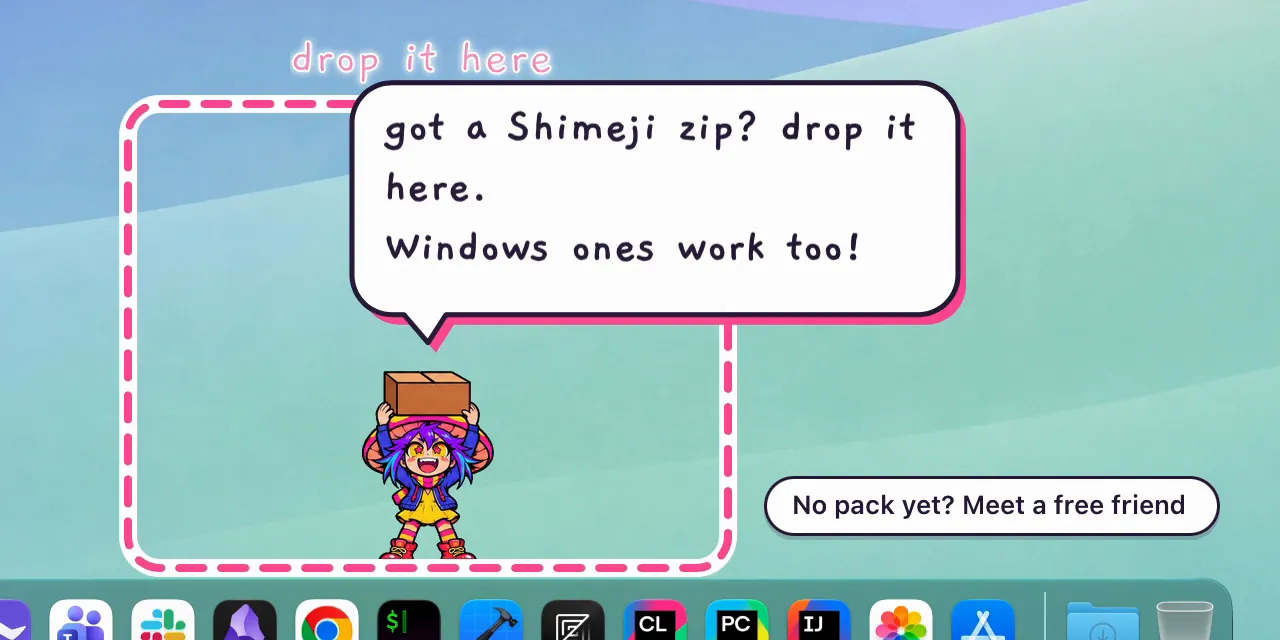
The free plan normally allows one character type on screen, with up to 3 copies. The welcome show can introduce the second type temporarily. Pro is for keeping a mixed crew together after that, rather than a requirement to enjoy pixel art.
How should you compare original packs in the Shop?
Browse the illustrated and 8-bit shelves in the Shop, then try a character on your screen before buying. Use the same wallpaper and normal working windows for each comparison.
- Check whether the face and outline are clear at your preferred size.
- Watch walking, sitting and climbing, rather than judging one pose.
- Decide whether you want a quiet companion or a character that stands out.
- Read the pack description and current purchase details. A character pack and Pro are separate purchases.
You can keep different styles in your Library and choose a favorite for the day. You do not have to buy a collection to get started.
Can you bring your own pixel or illustrated Shimeji?
Yes, compatible community packs can be imported in either style. A drawing, GIF or sprite sheet by itself is not necessarily a complete Shimeji pack: the app also needs the pack’s expected layout and configuration. Start with the creator’s original download and read the pack download guide.
Keep the creator’s credit and respect their stated use conditions. Importing fan art for your own desktop does not make it your original artwork to redistribute or sell. If you want to draw your own, the Shimeji creation guide explains the starting structure.
What else should you know before choosing?
Does pixel art automatically use less battery?
No. Art style alone is not a reliable battery benchmark. Character count, animation and the pack itself also matter. Compare your own setup rather than assuming that a blockier character is lighter.
Does a pack change style when I resize it?
No. Resizing changes how large the existing frames appear. It does not redraw a pixel character as an illustration or generate a pixel version of a drawn character.
Do I need Java for either style on Mac?
No. Shimejiko is a native Mac app and runs compatible packs without Java. Download Shimejiko and start with the included companions before deciding whether you want another pack.



