Shimeji not working? Which Java you need and how to fix it

Also in日本語한국어繁體中文简体中文EspañolDeutschPortuguês (Brasil)Français
Quick answer
Shimeji-ee needs Java 8, not the newest Java, because Java 15 and later removed the script engine it uses. Install Java 8 from java.com, extract the whole zip, and open Shimeji-ee.jar from inside its folder. If it still won't start, open Command Prompt in that folder and run java -jar Shimeji-ee.jar to see the real error. If one character fails, run its pack through our free checker. On a Mac, Shimeji-ee doesn't run at all, but Shimejiko runs the same packs with no Java.
Download for MacShimeji-ee is an older Java program with three needs: the right Java, its whole folder, and a pack with all its files. When one of those is off, it tends to fail quietly. Find what you're seeing below and jump to the fix. Windows comes first, since that's where most Shimeji live, then Mac, then broken packs on any computer.
Find your problem
| What you see | Usually why | Fix |
|---|---|---|
| Nothing happens when you double-click | Java is missing or too new, or the folder is incomplete | Start it from Command Prompt to see the error |
The .jar opens in WinRAR or 7-Zip |
An archive app took over .jar files |
Use Open with, or the command below |
| A tray icon but no Shimeji | Java is too new, or img is overcrowded |
Use Java 8 and try one character |
A Java Exception has occurred. |
The .jar can't reach the rest of its folder |
Extract the whole zip |
| A new pack doesn't appear | It hasn't been chosen yet | Use Choose Shimeji... in the tray menu |
| Shimeji ignore your windows | Only certain window titles count | Add yours in Settings |
Failed to load configuration files. |
A problem in the pack | Read the next line of the message |
Out of Memory. |
Too many characters, or scaling too high | Move packs to img/unused |
| You're on a Mac | Shimeji-ee runs only on Windows | Use a Mac app |
Shimeji-ee on Windows
How do I run Shimeji-ee on Windows?
Extract the zip, install Java 8, and open Shimeji-ee.jar:
- Download the zip from the official page, kilkakon.com/shimeji.
- Right-click the zip and choose Extract All. Windows shows a zip much like a folder, so it's easy to miss this step.
- Install Java 8 (see the next question).
- Open the extracted folder and double-click
Shimeji-ee.jar.
Keep the folder together. Shimeji-ee.jar needs conf, img and lib beside it, so don't move it out on its own.
Which Java do I need for Shimeji?
You need Java 8, the version Shimeji-ee's readme names. Get it from java.com, where Windows Offline (64-bit) is the one to pick, and it costs nothing for personal use. If you prefer an open-source build, Eclipse Temurin also offers Java 8 for Windows.
To see what you have now, open Command Prompt and type java -version. Java 8 shows up as 1.8.0_ followed by a number.
Do I need 32-bit or 64-bit Java?
64-bit Java is fine for the current Shimeji-ee, which has supported it since version 1.0.7. Older copies, often the ones bundled with a pack, may say they need 32-bit Java. Rather than installing that, move the character into the current Shimeji-ee, as the question on new packs below shows.
Why doesn't Shimeji work with the latest Java?
Java removed the part Shimeji-ee runs its scripts with. Characters' moves rely on small scripts, and Shimeji-ee runs them through a JavaScript engine called Nashorn. Java 15 removed Nashorn, and the current Shimeji-ee still asks for it by name.
So on a newer Java you may get a tray icon and no character, or nothing seems to happen at all. Some copies show an error that starts Could not create and mentions a script engine that is null.
You can keep your newer Java. Install Java 8 beside it, open Command Prompt in the Shimeji-ee folder, and start it with Java 8's full path:
"C:\Program Files\Java\jre1.8.0_511\bin\java.exe" -jar Shimeji-ee.jar
The number changes with each update, so check the folder name in C:\Program Files\Java. Temurin installs under C:\Program Files\Eclipse Adoptium.
If you'd rather stay on a current Java, Shimeji-Desktop is a community port of Shimeji-ee that needs Java 25 or newer. It's a separate project, with only a pre-release build so far.
Why does nothing happen when I double-click Shimeji-ee.jar?
Usually the program is starting and failing with no window to tell you why. Run it yourself and you'll see the message:
- Open the Shimeji-ee folder in File Explorer.
- Click the address bar, type
cmdand press Enter. Command Prompt opens in that folder. - Type
java -jar Shimeji-ee.jarand press Enter.
| Command Prompt says | What it means | Fix |
|---|---|---|
'java' is not recognized as an internal or external command |
Windows can't find Java | Install Java 8 and open a new Command Prompt, or use the full path above |
NoClassDefFoundError and jdk/nashorn |
Java is too new | Use the full path to Java 8 |
Error: Unable to access jarfile Shimeji-ee.jar |
You're in the wrong folder | Open Command Prompt in the folder with the .jar |
Error: Invalid or corrupt jarfile Shimeji-ee.jar |
The file is damaged | Download the zip again from the official page |
Why does Shimeji-ee.jar open in WinRAR or 7-Zip?
A .jar file is packaged as a zip, so archive apps can claim it. Right-click the file, choose Open with, then Choose another app, pick Java(TM) Platform SE binary, which is how Oracle's Java is listed, and choose to always use it. If it isn't listed, skip this and use the java -jar command above, which doesn't care what .jar files open with.
What does "A Java Exception has occurred" mean?
It's Java's general error box, and one likely cause is a .jar cut off from its folder. Shimeji-ee reads its settings from conf as it starts, so it can't get going if you opened it from inside the zip or moved it out by itself. Extract the whole zip, put Shimeji-ee.jar back beside conf, img and lib, and try again. If the box comes back, the command above shows the full error.
Why do I see the tray icon but no Shimeji?
Check your Java version first, because a too-new Java can stop right here: the tray icon is created before the first character, and the character is what needs the script engine. If it's Java 8, work through the rest of the readme's advice:
- Get the newest Shimeji-ee from the official page.
- Keep only character folders in
img. - Give it time. It starts slowly with many characters, so move all but one to
img/unusedand try again. - Look in the folder for a log file starting with
ShimejieeLog. Older copies call itShimejiLog.
Can't find the tray icon either? On Windows 11 it may be in the hidden icons area, behind the arrow at the end of the taskbar.
Why won't a new pack show up in Shimeji-ee?
Shimeji-ee starts the characters it remembers, not everything in img. Copy the pack's folder into img, using the folder that directly holds shime1.png, so you get img/Mochi/shime1.png. Then right-click the tray icon, click Choose Shimeji... and select it. If the pack has its own conf folder, keep it at img/Mochi/conf.
If your download is a whole copy of Shimeji-ee, take the character's folder out of its img folder and move that.
Why won't my Shimeji climb or throw windows?
By default, Shimeji-ee only uses windows with certain words in their title: Chat, Notepad, Friends and Windows Live Messenger. To add yours, right-click the tray icon, click Settings, open the Interactive Windows tab, and add a word from the window's title on the Whitelist. Capitals have to match. To make almost every window count, clear the Whitelist and put only the windows you want left out on the Blacklist.
Two more things stop it. A maximized window in front counts as no window, so make it smaller. And throwing can be switched off: right-click a Shimeji, open Allowed Behaviours and check that Throwing Windows is on.
What does "Out of Memory" mean?
Shimeji-ee has too many characters loaded, or Scaling set too high. Choose fewer characters or move some to img/unused, then start again. The program resets Scaling for you when this happens.
The message also shows how much memory Shimeji has. To give it more, start it from Command Prompt with a bigger number than that, here 4 GB:
java -Xmx4g -jar Shimeji-ee.jar
Where is Shimeji-ee.exe?
The current download doesn't have one: you open Shimeji-ee.jar. Older copies, and packs built on them, include a small Shimeji-ee.exe that only starts the .jar. If that launcher says This application requires a Java Runtime Environment, Java is missing, so install Java 8. A download that is only an .exe is a different thing, and one to skip.
Why did Shimeji stop working when it worked before?
Usually something changed around it, such as Java or the folder. A newer Java installed for another app can take over: Temurin's installer, for one, updates PATH and the .jar link by default. Run java -version, and if it isn't 1.8.0, use the full path to Java 8 from above. If you moved the .jar, put it back beside conf, img and lib.
If your antivirus flagged the download, leave it switched on and get a clean copy from the official page instead.
Shimeji on a Mac
Will installing Java fix Shimeji on a Mac?
No. Kilkakon's page says Shimeji-ee "runs only on Windows", and the current .jar has no Mac code in it, so Java alone won't help. Community projects have tried. ShimejiEE-cross-platform bundles Java for Mac, but its last release was in October 2022, and Shimeji-Desktop lists macOS and needs Java 25 or newer.
macOS won't open my Shimeji download. What should I do?
macOS blocks apps Apple hasn't checked, and the safest answer is to look for an alternative that Apple has checked. Apple's way past the block is Open Anyway in System Settings › Privacy & Security, but Apple warns that overriding its security settings is the most common way a Mac gets infected. Use it only for a download you fully trust. Don't turn Gatekeeper off, and don't paste Terminal commands from a guide that tells you to.
How do I run Shimeji on a Mac without Java?
Use Shimejiko, a native Mac app for macOS 14 or later, on Apple silicon or Intel. It has its own engine, so there's no Java and no Terminal, and it's signed and notarized by Apple. Drop a zip, rar or 7z file or a folder on it and your character walks out. It ignores any .exe, .jar, .dll or .bat file in the download, so no program that came with the pack ever runs.
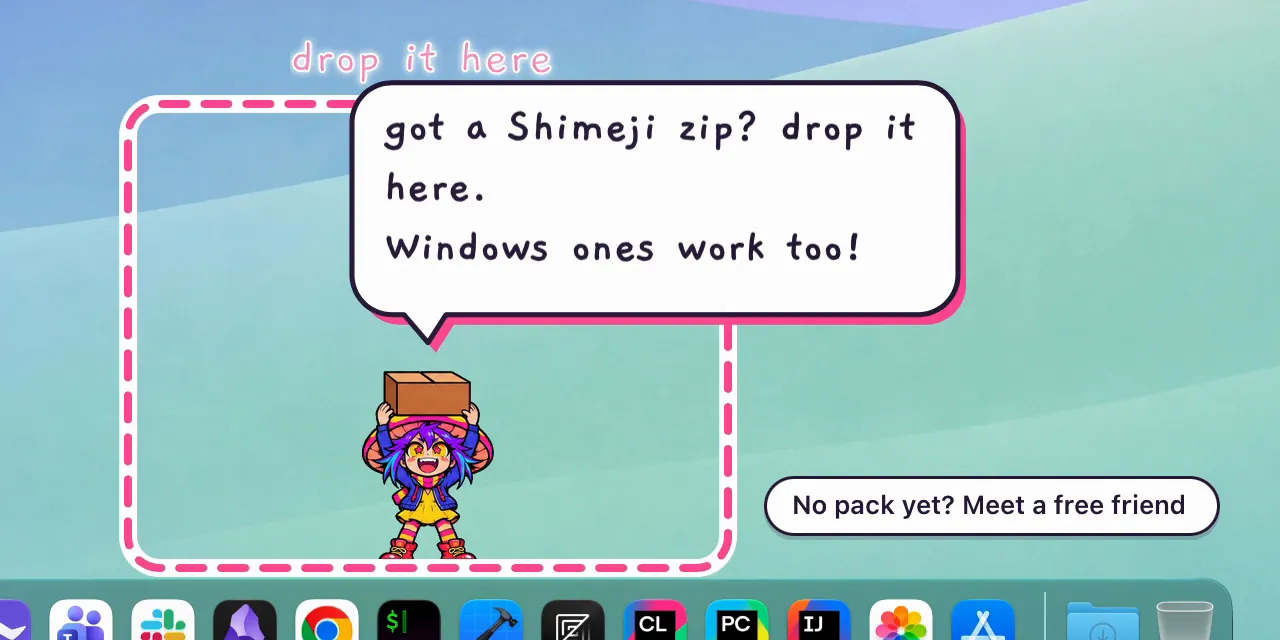
The free version shows one character type at a time, up to 3 copies. Our guide to Shimeji on a Mac has every step.
When the pack is the problem
How do I check if a Shimeji pack is broken?
Drop the zip on our free Shimeji pack checker. It lists every character in the zip, along with missing images, broken XML, mixed frame sizes and backgrounds that aren't transparent, and it gives the fix for each. It all runs in your browser, so nothing is uploaded. The checker reads zip files only, so unpack a rar or 7z first and zip the folder that holds the pack's img and conf folders.
What does "Failed to load configuration files" mean?
Shimeji-ee couldn't read a character's settings or images, and the next line of the message says why:
Lineand a number:actions.xmlorbehaviors.xmlhas a mistake on or just before that line, often a missing quote or closing tag. Fix it, or restore the original file.Failed to load imageand a file name: the settings ask for an image that's missing or unreadable. Add it, or download the pack again.
Why does my Shimeji have a box around it?
The frames don't have a transparent background. Erase the background and save each frame as a PNG with transparency. Our guide to making a Shimeji covers this and other drawing problems, like jitter and floating.
What if Shimejiko can't import a pack?
On a Mac, Shimejiko says what's wrong in plain words. "Shimejiko didn't find any characters in this pack" means there's no folder of shime1.png, shime2.png and so on, so it may not be a pack at all. A rar or 7z with a password needs unpacking in another app first, then you can import the folder. If one character has a broken file, Shimejiko imports the others and tells you what it skipped. If frames are missing, it shows the nearest frame instead, and the test bench in the Library lets you play each move to see the result.
If you're still stuck
For Shimeji-ee on Windows, Kilkakon's page links a FAQ video and a Discord community. If you ask there, include what java -version shows and the exact error message. Looking for a fresh download? See where to get Shimeji packs safely.

